Image theft is more prevalent than ever in a time when everything is shared online. Whether you’re a photographer, influencer, content provider, or just a normal user, it’s easy for someone to copy and reuse your images without your consent. The good news? Free face search engines like Google Images, PimEyes, and Yandex make it easier than ever to find stolen images online. AI is used by these tools to match facial traits and detect unlawful online activity. You may easily trace misuse by just uploading your photograph, verifying matches, and recording proof. Future image theft can also be avoided with regular monitoring and safeguards like watermarking.
This detailed guide will walk you through everything you need to know—from understanding how face search works to step-by-step methods for tracking stolen images and protecting your digital identity.
Key Takeaways
- Face search tools are essential for tracking stolen photos online
- Use a combination of tools for best results
- Always document evidence if misuse is found
- Protect your images proactively with watermarks and monitoring
- Free tools are powerful but may have limitations
What Is Face Search & How It Helps Find Stolen Photos

Face search, also known as reverse face recognition search, is a technology that analyzes facial features in an image and finds similar or identical faces across the internet.
Unlike traditional reverse image search, which looks for similar images based on patterns, face search tools focus specifically on facial data, making them far more accurate for identifying stolen or misused photos.
Why It Matters for Image Theft Detection
- Detect unauthorized use of your photos
- Identify fake profiles using your face
- Protect your personal and professional identity
- Track where your images are being shared
Top Free Face Search Tools to Find Stolen Photos Online
Here are some of the best free face search tools you can use in 2026:
1. Google Images Reverse Search (Basic but Effective)
While not a true face recognition tool, Google Images can still help detect duplicates of your image online.
How to use:
- Go to Google Images
- Upload your photo
- Check visually similar images and websites
Best for: Finding exact copies or edited versions of your image
2. PimEyes (Advanced Face Search Tool)
PimEyes uses AI-powered facial recognition to scan the internet and find matches.
Key features:
- Highly accurate facial matching
- Finds cropped or edited images
- Alerts for new matches (paid feature)
Best for: Serious tracking of stolen photos
3. FaceCheck.ID (Emerging Free Tool)
FaceCheck is gaining popularity for its ability to detect faces across websites and social media.
Key features:
- Free limited searches
- Identifies potential identity misuse
- Easy-to-use interface
4. Social Catfish (Identity Verification Tool)
Originally built for online identity verification, Social Catfish also offers reverse image search.
Key features:
- Checks social media profiles
- Helps detect catfishing
- Combines image and identity data
5. Yandex Image Search (Underrated but Powerful)
Yandex often provides better image matching than Google, especially for faces.
Key features:
- Strong facial similarity detection
- Finds international matches
- Completely free
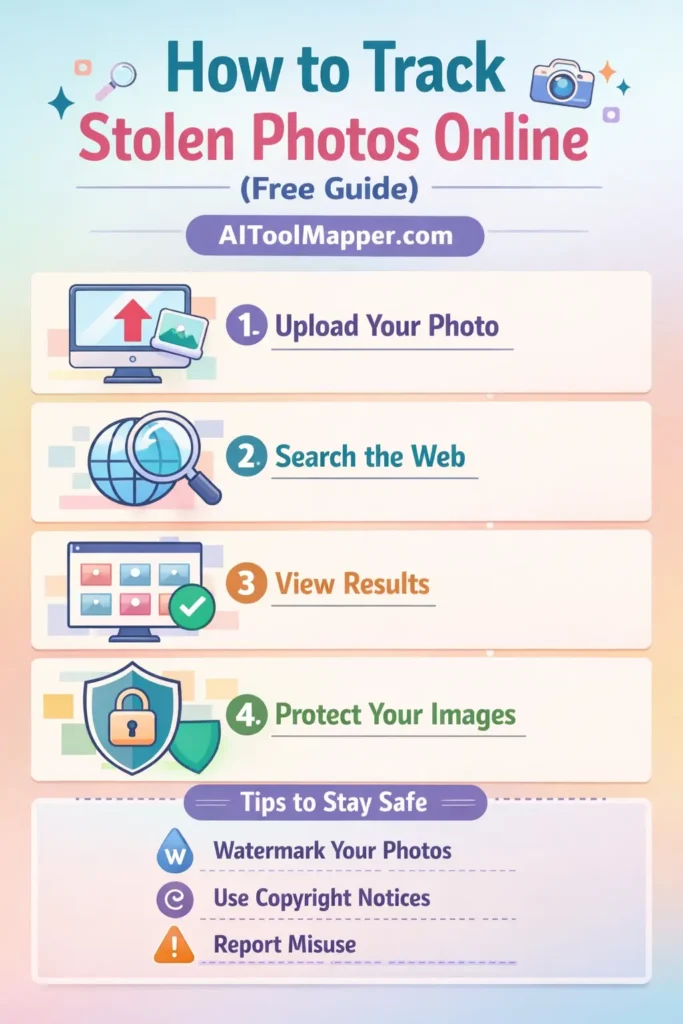
Step-by-Step Guide to Find Stolen Photos Online
Step 1: Gather the Original Image
Use the highest quality version of your photo. Cropped or compressed images may reduce accuracy.
Step 2: Run a Reverse Image Search
Start with tools like:
- Google Images
- Yandex
Look for:
- Exact matches
- Slightly edited versions
- Different websites using your image
Step 3: Use Face Recognition Tools
Upload your image to:
- PimEyes
- FaceCheck
These tools will:
- Scan facial features
- Identify similar faces
- Show possible misuse cases
Step 4: Check Social Media Platforms
Search manually on:
Use keywords like your name or variations to find fake profiles.
Step 5: Document Evidence
If you find stolen photos:
- Take screenshots
- Save URLs
- Record dates
This will help if you need to report or take legal action.
How to Protect Your Photos from Being Stolen
1. Add Watermarks
Include a subtle watermark with your brand name like AIToolMapper.com.
2. Use Low-Resolution Images
Upload compressed versions online to discourage reuse.
3. Enable Copyright Protection
Register your images or include copyright notices.
4. Monitor Regularly
Run periodic searches using face search tools to detect misuse early.
5. Avoid Sharing Sensitive Images Publicly
Limit exposure of personal or private photos.
What to Do If You Find Your Stolen Photos
1. Contact the Website Owner
Request removal politely via email or contact form.
2. File a DMCA Takedown Request
Submit a complaint to:
- Hosting provider
- Search engines
3. Report on Social Platforms
Use built-in reporting tools on:
4. Seek Legal Help (If Necessary)
For serious misuse, consult a legal professional.
Limitations of Free Face Search Tools
While powerful, free tools have some limitations:
- Limited daily searches
- Not all websites are indexed
- Accuracy may vary
- Some features require paid upgrades
Still, combining multiple tools significantly improves your chances of finding stolen images.
Future of Face Search Technology
Face recognition technology is rapidly evolving. In the future, we can expect:
- Real-time monitoring of stolen images
- AI-powered alerts for misuse
- Better privacy controls
- More accurate global databases
This means protecting your images will become easier—but also more important.
FAQs: Find Stolen Photos Online Using Face Search Tools
1. How can I find stolen photos of myself online for free?
You can use free tools like Google Images, Yandex, and limited versions of PimEyes. Upload your photo and review matching results. Combining multiple tools improves accuracy and helps identify unauthorized usage across different websites and platforms.
2. Are face search tools accurate for finding stolen images?
Face search tools are generally accurate, especially AI-based ones like PimEyes. However, results depend on image quality, angle, and lighting. Using multiple tools increases the chances of finding correct matches.
3. Is it legal to use face search tools?
Yes, using face search tools is legal for personal and ethical purposes like finding stolen images or verifying identity. However, misuse for stalking or harassment may violate laws and privacy regulations.
4. Can I find fake social media profiles using my photos?
Yes, face search tools can help identify fake profiles using your photos. Additionally, manual searches on platforms like Instagram and Facebook can reveal impersonation accounts.
5. What should I do if someone steals my photos?
You should collect evidence, contact the website owner, file a DMCA takedown request, and report the issue on relevant platforms. Legal action may be required in severe cases.
6. Do free face search tools have limitations?
Yes, free tools often have search limits, reduced accuracy, and restricted access to advanced features. Paid versions usually provide more comprehensive results and monitoring options.
7. Can edited or cropped images still be found?
Advanced tools like PimEyes can detect edited or cropped images using facial recognition. However, basic tools like Google Images may struggle with heavily altered images.
8. How often should I check for stolen photos?
It’s recommended to check at least once a month, especially if you are a public figure, influencer, or content creator. Regular monitoring helps detect misuse early.
9. Is watermarking effective against image theft?
Yes, watermarking discourages unauthorized use and helps prove ownership. While it doesn’t prevent theft completely, it makes your images less attractive for misuse.
10. Can I remove my images from search results?
Yes, you can request removal through search engines and website owners. Filing a DMCA request is one of the most effective ways to remove stolen images from search results.
Conclusion: Stay One Step Ahead of Image Theft
Tracking stolen photos online is no longer difficult, thanks to advanced free face search tools. By using the right combination of tools, staying proactive, and protecting your images, you can safeguard your digital identity effectively.
Remember, prevention is always better than cure. Make it a habit to monitor your images regularly and take action immediately if misuse is detected.