


Featured
New
DesignEvo – Free Logo Maker
- https://www.designevo.com/
- June 4, 2026

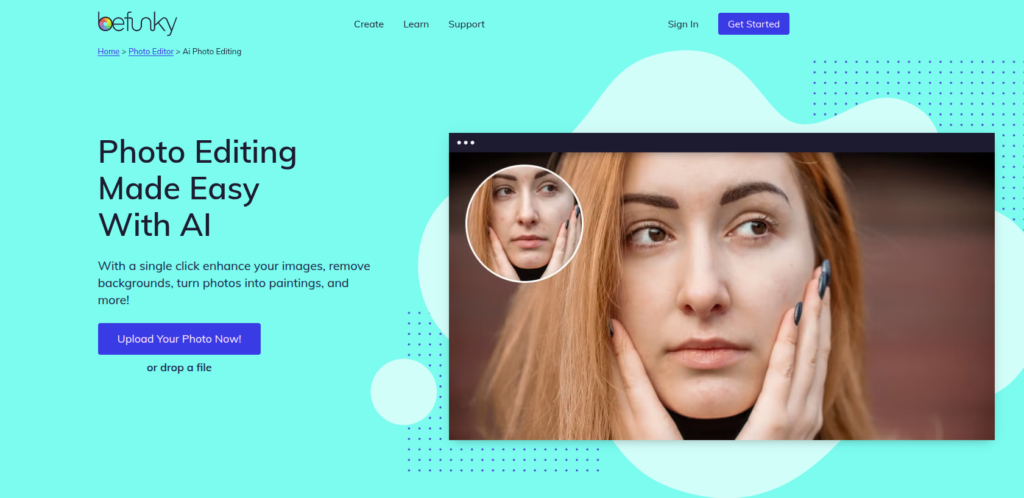

In today’s rapidly evolving digital content ecosystem, visual creation tools have become essential for marketers, designers, educators, and everyday users. One of the most established names in this space is BeFunky, a browser-based photo editing and graphic design platform that combines simplicity with powerful creative capabilities.
Founded by BeFunky Inc. (United States-based company), the platform has been around since the late 2000s and has steadily evolved from a basic photo editor into a multi-functional creative suite. Unlike complex professional tools such as Photoshop, BeFunky focuses on accessibility—making design and photo editing possible for users without technical expertise.
What makes BeFunky relevant in today’s AI-driven ecosystem is its gradual integration of AI-powered editing features, such as background removal, photo enhancement, and smart retouching. These capabilities position it as a hybrid tool: part traditional editor, part AI-assisted creative platform.
In this review, we’ll break down BeFunky from an expert perspective—its features, real-world use cases, pricing, limitations, and whether it is still worth using in 2026.
BeFunky is an online photo editor, collage maker, and graphic design tool that runs directly in your web browser. It eliminates the need for software installation and offers a simplified creative workspace for editing images, designing social media posts, and building marketing visuals.
At its core, BeFunky solves a key problem:
How can non-designers create high-quality visual content without learning complex design software?
The platform is built around three main modules:
Over time, BeFunky has also integrated AI-powered tools that automate tasks such as removing backgrounds, enhancing image quality, and applying artistic transformations.
In short, BeFunky is designed for speed, simplicity, and accessibility rather than professional-grade complexity.
One of BeFunky’s biggest strengths is its extremely simple workflow. Even first-time users can create professional-looking visuals in minutes.
Users simply visit the BeFunky website and choose a tool:
No installation or setup is required.
You can upload images from:
Depending on your goal, you can:
BeFunky provides both manual editing tools and AI-assisted features. For example:
Once finished, users can download their work in multiple formats or directly share it to social media platforms.
The entire workflow is designed to be fast, intuitive, and beginner-friendly.
BeFunky offers a wide range of creative tools. Below are its most important capabilities explained in detail.
Automatically improves image quality by adjusting:
This is particularly useful for users working with low-quality images.
One of the most popular features, allowing users to:
Includes traditional editing functions such as:
BeFunky provides artistic filters like:
These are widely used for social media content creation.
Users can create:
Templates are available for quick design.
Includes pre-built templates for:
Smart tools for:
Allows users to edit multiple images at once—useful for e-commerce and agencies.
BeFunky is widely used across different industries and user types.
While not a coding tool, developers use BeFunky for:
BeFunky offers several productivity and creative advantages:
Despite its strengths, BeFunky has some limitations:
These limitations make it better suited for casual, marketing, and lightweight professional use rather than high-end design work.
BeFunky follows a freemium model:
Not heavily structured like enterprise SaaS tools, but teams can use Plus subscriptions for collaborative workflows.
Overall, pricing is considered affordable compared to industry-standard design software.
BeFunky stands out as a hybrid photo editor + design tool focused on simplicity rather than professional depth.
BeFunky is ideal for:
It is not ideal for:
BeFunky operates as a cloud-based platform, meaning uploaded images are processed online.
Key privacy considerations:
Overall, BeFunky follows standard SaaS privacy practices, but users should always review its official privacy policy for sensitive work.
BeFunky remains one of the most accessible and reliable online photo editing tools available today. While it does not compete with high-end professional software, it excels in simplicity, speed, and ease of use.
Its integration of AI features—especially background removal and smart enhancements—makes it highly relevant in 2026’s AI-driven content creation landscape.
If your goal is to quickly create visually appealing content without a steep learning curve, BeFunky is a strong and practical choice.
However, if you require advanced editing control or enterprise-level design systems, you may eventually need more powerful tools.
There are no reviews yet.


Get the latest AI tools and trends delivered to your inbox. Subscribe to the AI Tool Mapper newsletter for curated AI updates.
AI Tool Mapper is a curated AI tools directory that helps users discover, compare, and choose the best artificial intelligence tools for work, business, and creativity.
© 2026 AI Tool Mapper. All rights reserved