


Featured
New
DesignEvo – Free Logo Maker
- https://www.designevo.com/
- June 4, 2026

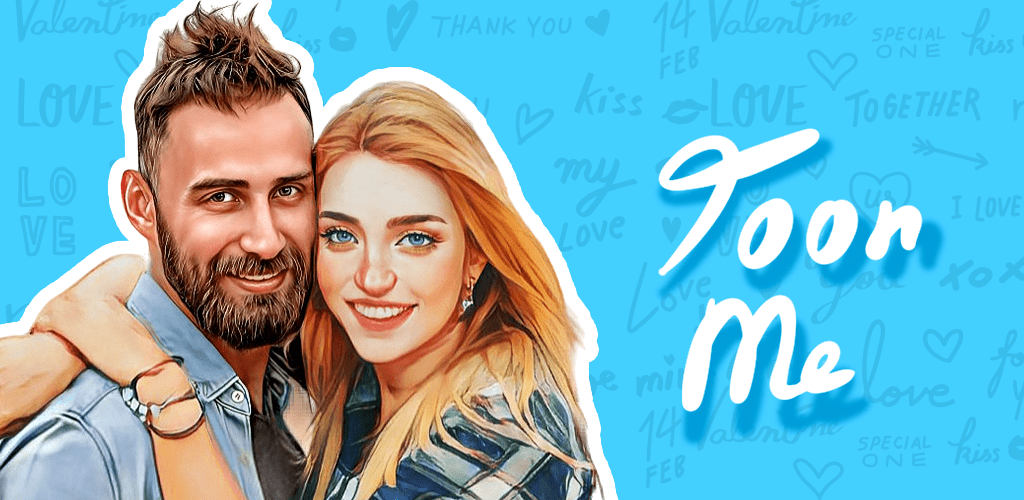
In the rapidly evolving AI creativity landscape, tools that transform ordinary photos into stylized digital art have become extremely popular. One of the most recognizable names in this space is ToonMe, an AI-powered photo-to-cartoon transformation app that has gained massive global traction among mobile users, creators, and social media enthusiasts.
Developed by Linerock Investments LTD, ToonMe has positioned itself as a leading consumer-facing AI art application focused on turning real-life selfies and portraits into animated, cartoon-style illustrations. With the rise of visual storytelling on platforms like Instagram, TikTok, and Snapchat, ToonMe has become a go-to tool for users who want quick, high-quality stylized avatars without needing design skills.
Unlike complex AI art generators that require prompts and technical input, ToonMe focuses on simplicity, speed, and instant results, making it accessible to beginners while still useful for content creators and designers looking for inspiration or fast edits.
This review breaks down ToonMe from a real-world usability, feature, SEO, and trust perspective based on how it performs as a modern AI creative tool.
ToonMe is an AI-based photo editing application that transforms human portraits into cartoon, vector-style illustrations using machine learning models. At its core, the tool analyzes facial features and reconstructs them into stylized digital artwork while preserving identity and expression.
In simple terms, ToonMe helps users:
The main problem it solves is lack of artistic ability or time. Not everyone can draw or use advanced tools like Photoshop, but almost everyone wants unique profile images or creative visuals. ToonMe bridges this gap using automated AI transformation pipelines.
It is widely used by individuals for entertainment, branding, and social identity enhancement.
ToonMe is designed for simplicity, so even first-time users can generate results in seconds. Here is a step-by-step breakdown of how it works:
ToonMe is primarily a mobile application available on Android and iOS platforms.
Users select a selfie or portrait from their gallery or take a new picture using the camera.
The AI system detects facial structure, including:
It then maps these features into pre-trained artistic models.
Users can select from multiple cartoon, vector, or artistic filters depending on availability.
Within seconds, the AI produces a stylized version of the image that can be saved or shared.
The entire process is automated and does not require manual editing skills, making it extremely beginner-friendly.
ToonMe’s popularity comes from its focused feature set designed for fast, visually appealing outputs.
The core feature converts real portraits into cartoon-style artwork using deep learning models trained on illustration datasets.
Example: A regular selfie is transformed into a Pixar-style animated portrait.
Some modes generate clean, flat vector-style portraits suitable for professional profile use.
ToonMe includes different styles such as:
Each filter changes the artistic direction of the output significantly.
The AI preserves identity even after transformation, ensuring users remain recognizable in stylized versions.
Outputs are designed for:
Most transformations are completed in seconds depending on server load.
Users can directly export and share creations to social platforms.
ToonMe is not just a fun app—it has practical applications across multiple user groups.
ToonMe provides several clear advantages that make it stand out in the AI creativity space:
No technical or artistic skills required.
Users can generate shareable content in seconds.
Cartoon avatars perform well on social media platforms.
Users can experiment with different identity styles.
Fully optimized for mobile-first users.
No need for expensive design software or freelancers for basic avatar creation.
To maintain transparency and trust, it is important to highlight some limitations:
Many advanced styles and outputs may require in-app purchases or subscriptions.
Low-resolution or poorly lit images can reduce output quality.
Unlike advanced AI tools, customization is limited to predefined styles.
During peak usage, rendering may take longer.
As with any photo-based AI app, users should review data handling policies before uploading sensitive images.
ToonMe follows a freemium model, which is common among mobile AI apps.
Not typically positioned as an enterprise SaaS tool, but businesses may use it informally for creative branding needs.
Pricing may vary by region and platform (iOS/Android stores).
ToonMe competes with other AI avatar and portrait generators, but its positioning is unique.
ToonMe focuses on instant AI cartoon transformation with minimal input, while many competitors focus on customization-heavy workflows.
ToonMe is best suited for:
It is not ideal for users seeking deep professional design control or enterprise-grade creative workflows.
Since ToonMe processes personal photos, privacy is a critical factor.
Key considerations include:
As a best practice, users should avoid uploading sensitive or private images they do not want processed externally.
ToonMe is one of the most accessible AI-powered cartoon transformation tools available today. It successfully combines simplicity, speed, and creative output in a way that appeals to a broad audience—from casual users to social media creators.
While it does not offer deep customization or professional-grade editing features, it excels in what it is designed for: turning everyday photos into visually engaging cartoon avatars within seconds.
If your goal is to create fun, shareable, and visually appealing portraits without any technical effort, ToonMe remains a strong choice in the AI creative app ecosystem.
There are no reviews yet.


Get the latest AI tools and trends delivered to your inbox. Subscribe to the AI Tool Mapper newsletter for curated AI updates.
AI Tool Mapper is a curated AI tools directory that helps users discover, compare, and choose the best artificial intelligence tools for work, business, and creativity.
© 2026 AI Tool Mapper. All rights reserved