


Featured
New
DesignEvo – Free Logo Maker
- https://www.designevo.com/
- June 4, 2026
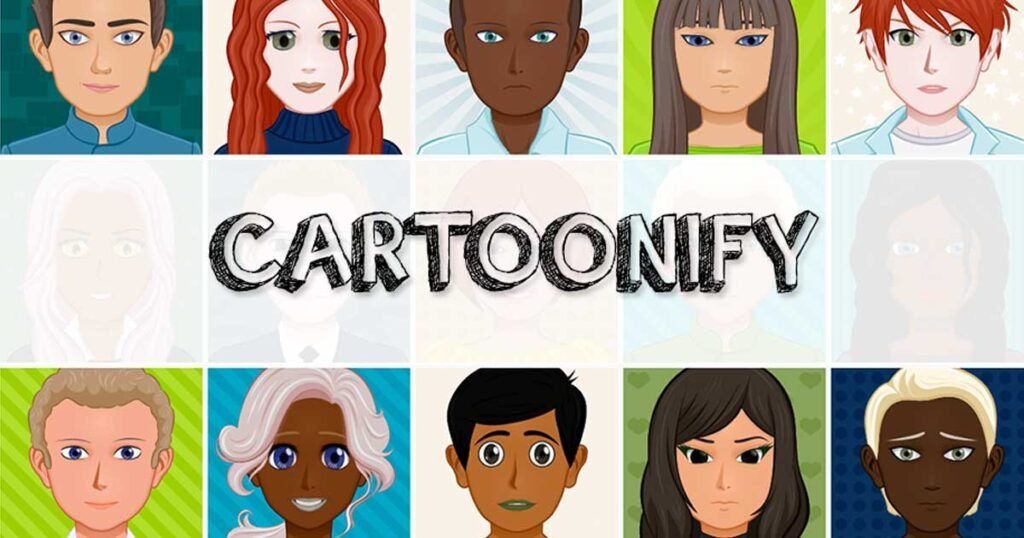
In the growing ecosystem of AI-powered creative tools, Cartoonify has carved out a simple but highly useful niche: turning ordinary photos into cartoon-style artwork with minimal effort. As AI image generation and style transfer technologies become more mainstream, tools like Cartoonify are making creative transformation accessible to everyone — not just designers or illustrators.
Cartoonify is a web-based AI image transformation tool that focuses on converting real human photos into cartoon avatars, sketches, or stylized illustrations. It is widely used for profile pictures, fun edits, branding visuals, and educational experimentation with digital art styles.
Unlike complex generative AI platforms that require prompts, tuning, or technical understanding, Cartoonify is designed for simplicity. This makes it especially attractive for beginners, casual users, and content creators who want quick visual transformation without learning advanced design tools.
Cartoonify is an AI-powered image transformation tool that converts real photos into cartoon-style illustrations. The main idea is to take a normal portrait or image and automatically generate a stylized cartoon version using machine learning algorithms.
At its core, Cartoonify solves a very simple but popular problem:
“How can I turn my photo into a cartoon without using Photoshop or professional design tools?”
The platform eliminates technical barriers and provides an instant visual transformation experience. Users upload an image, and the system processes it using AI-based style mapping and facial feature detection to generate cartoonized outputs.
It is commonly used for:
While it is not a full generative AI studio like Midjourney or DALL·E, it focuses specifically on fast, lightweight cartoon conversion.
Cartoonify follows a simple workflow designed for non-technical users:
Users start by uploading a photo (usually a portrait works best). The tool supports standard image formats like JPG and PNG.
Once uploaded, the AI analyzes:
The system applies cartoon-style filters or neural style mapping techniques to convert the image into:
Users can preview the cartoon version of their image within seconds.
The final image can be downloaded and used for personal or professional purposes depending on licensing rules.
The entire process typically takes only a few seconds to a minute, depending on server load and image complexity.
Cartoonify is intentionally lightweight, but it still includes several useful features:
The core feature converts real images into cartoon-style visuals using automated image processing.
The system identifies facial landmarks such as:
This helps preserve identity while transforming the style.
In addition to cartoon effects, some variations include pencil-sketch-like rendering.
AI reduces complex shading into simplified color blocks typical of cartoon art styles.
Most images are processed in under a minute, making it suitable for quick creative tasks.
No installation required — everything runs in the browser.
Minimal interface with simple upload-and-download workflow.
Most versions offer free usage with basic functionality.
Cartoonify is not just a novelty tool — it has practical applications across multiple user groups.
Cartoonify provides several practical advantages:
No learning curve — upload and transform.
Fast processing makes it suitable for real-time content needs.
Works directly in the browser without installation.
Helps users visualize themselves or others in artistic styles instantly.
Often free or low-cost compared to professional illustration.
Ideal for non-designers who still want creative visuals.
Does not require powerful hardware or GPU.
To maintain transparency and trust, it is important to understand Cartoonify’s limitations:
Compared to advanced AI tools, style options are relatively basic.
Low-quality or blurry photos may produce weak results.
Users cannot fine-tune outputs extensively.
Processing speed depends on external servers.
It is more of a fun/utility tool rather than a professional design platform.
Depending on the specific Cartoonify implementation, image storage policies may not always be fully transparent.
Cartoonify typically follows a simple model:
Not commonly offered, as Cartoonify is generally a consumer-focused tool rather than an enterprise SaaS platform.
When compared with modern AI art tools, Cartoonify stands out in a specific niche:
| Tool | Strength | Weakness |
| Cartoonify | Fast cartoon conversion | Limited features |
| Midjourney | High-quality AI art generation | Requires prompt skills |
| DALL·E | Versatile image generation | Not focused on cartoon style |
| Fotor AI | Editing + AI effects | More complex interface |
Key Difference:
Cartoonify is not trying to be a full AI art generator. It is optimized for quick cartoon transformation only, making it faster and simpler than most alternatives.
Cartoonify is best suited for:
It is NOT ideal for:
Cartoonify’s privacy policies depend on the specific deployment or version being used. However, general observations include:
For safe usage, it is recommended to:
Cartoonify is a simple yet effective AI tool designed for one core purpose: turning photos into cartoon-style visuals quickly and easily.
It does not aim to compete with advanced AI art generators. Instead, it focuses on accessibility, speed, and ease of use — making it a great entry-level tool in the AI creativity space.
Final Verdict:
If you want a fast, fun, and beginner-friendly way to convert photos into cartoon-style images, Cartoonify is definitely worth trying. However, for professional design work or advanced AI art generation, you may need more powerful tools.
There are no reviews yet.


Get the latest AI tools and trends delivered to your inbox. Subscribe to the AI Tool Mapper newsletter for curated AI updates.
AI Tool Mapper is a curated AI tools directory that helps users discover, compare, and choose the best artificial intelligence tools for work, business, and creativity.
© 2026 AI Tool Mapper. All rights reserved