Go Back
Report Abuse

Fotor – Free Online AI Portrait Generator

Fotor AI Image Generator
Fotor - Free Online AI Portrait Generator
Fotor AI Image Generator
Fotor - Free Online AI Portrait Generator

Description

Tools that make image editing and portrait improvement easier are much sought after in today’s AI-driven creative environment. Fotor AI Portrait, created by Fotor, is one such technology that has become rather popular. Fotor has established itself as the preferred option for both novices and experts wishing to improve portraits without the need for sophisticated editing techniques because to its user-friendly interface and potent AI capabilities.

With the rise of social media, personal branding, and digital marketing, high-quality portraits are no longer optional—they’re essential. Fotor AI Portrait aims to bridge the gap between professional-level editing and everyday users by offering automated, AI-powered enhancements.

This detailed review breaks down everything you need to know—from features and real-world use cases to pricing, limitations, and whether it’s worth your time.

What Is Fotor AI Portrait?

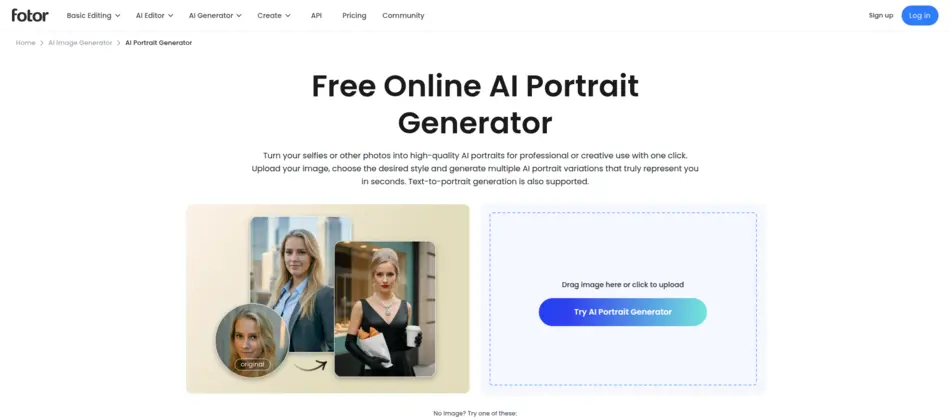
Fotor AI Portrait is an AI-powered image editing tool designed specifically for enhancing human portraits. It uses machine learning algorithms to automatically detect faces, skin tones, lighting conditions, and background elements to deliver polished, studio-quality results.

At its core, the tool solves a simple but important problem:

How can anyone create professional-looking portraits without Photoshop-level skills?

Whether you’re touching up selfies, creating LinkedIn profile pictures, or designing marketing visuals, Fotor AI Portrait simplifies complex editing tasks into just a few clicks.

How Fotor AI Portrait Works

One of the biggest strengths of Fotor AI Portrait is its simplicity. Here’s how users typically get started:

Step 1: Upload Your Image

  • Visit the Fotor website
  • Upload a portrait photo (JPEG/PNG supported)

Step 2: AI Detection

  • The AI automatically identifies facial features
  • Detects skin tone, lighting, and background elements

Step 3: Apply Enhancements

  • Choose from AI presets such as:
    • Skin smoothing
    • Wrinkle removal
    • Teeth whitening
    • Background blur

Step 4: Fine-Tune Edits

  • Adjust sliders for:
    • Brightness
    • Contrast
    • Sharpness
    • Color balance

Step 5: Download or Share

  • Export the final image in high resolution
  • Share directly to social media

The entire process usually takes less than a minute, making it extremely efficient.

Core Features & Capabilities

Fotor AI Portrait packs a wide range of features that cater to different user needs. Here’s a closer look:

1. AI Skin Retouching

  • Automatically smooths skin
  • Removes blemishes, acne, and wrinkles
  • Maintains natural texture (doesn’t over-edit)

Example: A freelancer can quickly clean up client headshots without manual retouching.

2. One-Click Portrait Enhancement

  • Enhances lighting, contrast, and clarity instantly
  • Ideal for beginners

Example: A student can upload a selfie and get a polished profile picture instantly.

3. Background Removal & Blur

  • AI automatically separates subject from background
  • Replace or blur background with a click

Example: E-commerce sellers can create clean product model images.

4. Facial Feature Adjustments

  • Modify facial symmetry
  • Adjust jawline, eyes, and nose subtly

Example: Influencers can fine-tune their appearance for branding consistency.

5. Makeup & Beauty Filters

  • Add virtual makeup effects:
    • Lipstick
    • Blush
    • Eyeliner

Example: Content creators can experiment with different looks without physical makeup.

6. AI Avatar Generation

  • Convert portraits into artistic avatars
  • Choose different styles (cartoon, anime, etc.)

7. Batch Processing (Limited)

  • Edit multiple images (premium feature)
  • Useful for bulk content creation

8. High-Resolution Export

  • Download images in HD quality
  • Suitable for both web and print

Real-World Use Cases

Fotor AI Portrait isn’t just for casual users—it serves a wide range of industries and professionals.

Businesses & Startups

  • Create professional team headshots
  • Enhance branding visuals
  • Improve website aesthetics

Example: A startup can generate consistent employee photos for their “About Us” page.

Marketers & Content Creators

  • Design eye-catching social media posts
  • Create thumbnails for YouTube
  • Improve ad creatives

Example: A digital marketer can enhance influencer images for campaigns.

Developers & Technical Users

While Fotor is not developer-centric, it can still:

  • Assist in UI/UX mockups
  • Provide quick image assets for prototypes

Students & Educators

  • Create professional academic profiles
  • Use for presentations and portfolios

Freelancers & Solopreneurs

  • Deliver polished client work quickly
  • Save time on manual editing

Example: A freelance photographer can use Fotor for quick retouching before final delivery.

Key Benefits

1. Massive Time Savings

Manual portrait editing can take hours—Fotor reduces it to seconds.

2. Beginner-Friendly Interface

No prior editing experience required.

3. Cost-Effective Alternative

Avoid expensive tools like Photoshop subscriptions.

4. Consistent Output

AI ensures uniform quality across multiple images.

5. Creative Flexibility

Experiment with styles, filters, and enhancements easily.

6. Accessibility

Works directly in a browser—no installation needed.

Limitations & Things to Consider

No tool is perfect, and Fotor AI Portrait has its limitations:

1. Limited Advanced Control

  • Not ideal for professional retouchers who need pixel-level precision

2. AI Over-Smoothing

  • Sometimes skin may look too artificial if overused

3. Internet Dependency

  • Requires stable internet connection

4. Watermarks in Free Version

  • Free users may see branding on exports

5. Limited Customization in Free Plan

  • Many advanced features are locked behind premium

Being aware of these helps set realistic expectations.

Pricing & Plans

Fotor AI Portrait follows a freemium model:

Free Plan

  • Basic editing features
  • Limited access to AI tools
  • Watermarked exports

Pro Plan (Paid)

  • Full access to AI portrait tools
  • No watermark
  • High-resolution downloads
  • Batch editing features

Pro+ Plan

  • Extended asset library
  • Premium templates
  • Advanced editing options

Pricing may vary, but generally:

  • Monthly and yearly subscription options are available
  • Discounts on annual plans

Pros & Cons

Pros

  • Easy to use for beginners
  • Fast AI-powered processing
  • Wide range of portrait tools
  • Affordable pricing
  • No installation required

Cons

  • Limited manual control
  • Watermarks in free version
  • Occasional unnatural edits
  • Not ideal for high-end professional editing

Fotor AI Portrait vs Similar AI Tools

Compared to tools like:

What Makes Fotor Stand Out:

  • Simpler interface than Adobe tools
  • More portrait-focused than Canva
  • More editing flexibility than Remini

Where It Falls Short:

  • Less powerful than Photoshop
  • Fewer design templates than Canva

Who Should Use Fotor AI Portrait?

This tool is ideal for:

  • Beginners who want quick portrait enhancements
  • Social media users and influencers
  • Freelancers handling client images
  • Small businesses needing professional visuals
  • Students building portfolios

It may not be ideal for:

  • Professional photographers needing deep manual control
  • Advanced designers requiring layered editing

Privacy, Security & Data Handling

Fotor operates as a cloud-based platform, which means:

  • Images are uploaded to their servers for processing
  • Most data is processed temporarily
  • Users should review the privacy policy for sensitive images

Key Considerations:

  • Avoid uploading confidential or sensitive photos
  • Check terms regarding image storage and usage

Fotor generally follows standard industry practices, but like any SaaS tool, user awareness is important.

Final Verdict

Fotor AI Portrait is a well-rounded, accessible AI tool that delivers strong value for everyday users. It strikes a balance between simplicity and functionality, making it an excellent choice for anyone who wants professional-looking portraits without the learning curve of advanced software.

While it may not replace high-end tools like Photoshop for professionals, it excels in speed, ease of use, and affordability.

Bottom Line:
If your goal is quick, reliable, and visually appealing portrait enhancement, Fotor AI Portrait is absolutely worth trying—especially with its free plan.

Features

AI skin retouching
One-click portrait enhancement
Background removal & blur
Facial feature adjustments
AI makeup filters
Avatar generation
High-resolution export

Details

There are no reviews yet.

Leave a Review

Your email address will not be published. Required fields are marked *

Explore the Newest AI Tools

Get the latest AI tools and trends delivered to your inbox. Subscribe to the AI Tool Mapper newsletter for curated AI updates.

You have been successfully Subscribed! Ops! Something went wrong, please try again.

© 2026 AI Tool Mapper. All rights reserved