

Featured
Khanmigo
- https://khanmigo.ai/
- February 13, 2026
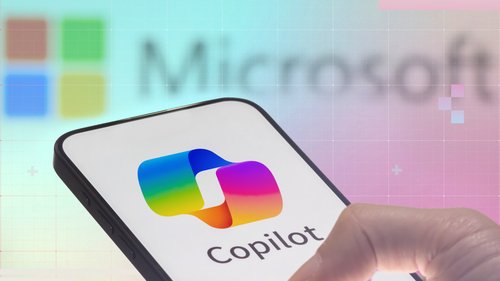
Microsoft Copilot is a powerful AI-powered assistant designed to transform how individuals, teams, and businesses work across Microsoft’s ecosystem. Built on advanced large language models and deeply integrated with Microsoft products like Windows, Microsoft 365, Edge, and Azure, Copilot helps users think faster, work smarter, and achieve more with less effort.
Whether you’re drafting documents, analyzing data, writing code, managing emails, or brainstorming ideas, Microsoft Copilot acts like a knowledgeable digital companion that understands your context and delivers intelligent, actionable assistance in real time.
Microsoft Copilot isn’t just another AI chatbot—it’s an AI embedded directly into the tools people already use every day. From Word and Excel to PowerPoint and Outlook, Copilot enhances productivity without disrupting workflows.
Key highlights include:
Context-aware assistance based on your files, emails, meetings, and data
Enterprise-grade security and compliance, backed by Microsoft
Seamless integration across Microsoft 365 apps and Windows
Natural language interaction, making complex tasks simple
AI-Powered Writing & Content Creation
Copilot helps you write, edit, summarize, and rewrite content in Microsoft Word and Outlook. Whether it’s reports, emails, blogs, or meeting notes, it delivers clear, professional results in seconds.
Smart Data Analysis in Excel
Turn raw data into insights effortlessly. Ask Copilot questions in plain English, generate formulas, create charts, and uncover trends without advanced Excel knowledge.
Presentation Creation in PowerPoint
Generate complete presentations from simple prompts or existing documents. Copilot can design slides, suggest visuals, and structure your narrative automatically.
Email & Calendar Management
Copilot summarizes long email threads, drafts replies, schedules meetings, and highlights key action items—saving hours of manual work.
AI Assistance in Windows & Edge
From system-level tasks to web research and quick answers, Copilot works directly within Windows and Microsoft Edge for a smoother, more intelligent experience.
Developer & Coding Support
For developers, Microsoft Copilot assists with code suggestions, explanations, debugging, and documentation, making software development faster and more efficient.
Microsoft Copilot is ideal for:
Professionals & Teams looking to boost productivity
Businesses & Enterprises seeking secure AI integration
Students & Educators needing research and writing support
Content Creators & Marketers creating high-quality content faster
Developers & IT Teams optimizing coding workflows
Built by Microsoft, trusted by millions worldwide
Designed for real-world productivity, not just conversations
Secure, scalable, and compliant with enterprise standards
Saves time while improving output quality
Continuously evolving with the latest AI advancements
Microsoft Copilot represents the future of AI-powered work. By embedding intelligence directly into everyday tools, it eliminates busywork, enhances creativity, and empowers users to focus on what truly matters. Whether you’re an individual professional or a large organization, Microsoft Copilot helps you work faster, smarter, and with confidence.
If you’re looking for a reliable, enterprise-ready AI assistant that fits seamlessly into your daily workflow, Microsoft Copilot is one of the most powerful AI tools available today.
There are no reviews yet.


Get the latest AI tools and trends delivered to your inbox. Subscribe to the AI Tool Mapper newsletter for curated AI updates.
AI Tool Mapper is a curated AI tools directory that helps users discover, compare, and choose the best artificial intelligence tools for work, business, and creativity.
© 2026 AI Tool Mapper. All rights reserved