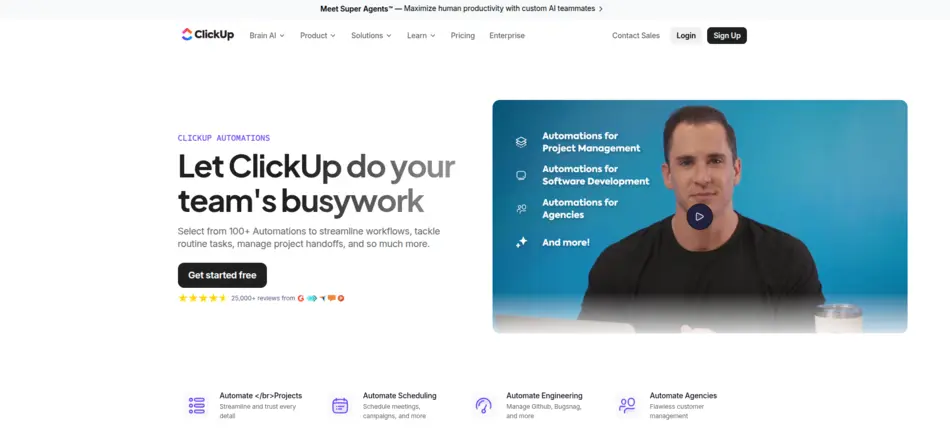
ClickUp AI is an AI-powered productivity assistant that helps teams automate tasks, generate content, summarize documents, and manage workflows. By combining automation rules, AI prompts, and integrations, you can build AI agents with ClickUp to streamline project management, reduce manual work, and improve collaboration across teams.
Key Takeaways
ClickUp AI enables powerful workflow automation for teams.
AI agents can automate repetitive project tasks and documentation.
ClickUp Brain integrates AI writing, summaries, and knowledge retrieval.
AI workflows improve productivity and team collaboration.
ClickUp AI offers broader automation capabilities than meeting tools like Fathom AI.
Building AI agents in ClickUp requires structured workflows and clear automation goals.
1. The Rise of AI Agents in Modern Workflows
Artificial intelligence is quickly reshaping the way teams work. Tasks that once required hours of manual effort—writing reports, organizing projects, or summarizing meetings—can now be handled by intelligent systems known as AI agents.
These agents don’t just assist with tasks. They actively analyze data, automate workflows, and support decision-making.
So it’s no surprise that modern productivity platforms are embedding AI assistants directly into their ecosystems.
One of the most powerful examples is ClickUp AI, also known as ClickUp Brain. It combines project management, automation, and AI-driven assistance into a single platform.
Instead of juggling multiple tools, teams can:
generate documents
automate tasks
summarize meetings
manage projects
create AI-powered workflows
All inside one workspace.
This guide will walk you through how to build an AI agent with ClickUp, even if you have zero coding experience.
By the end of this tutorial, you’ll learn:
What ClickUp AI is and how it works
How to use ClickUp AI automation
Step-by-step instructions to build AI agents in ClickUp
Real-world use cases and examples
Best practices to optimize AI workflows
If you’re exploring modern AI productivity tools—especially those listed on AI Tool Mapper, a growing directory of AI solutions—ClickUp is definitely one platform worth mastering.
Let’s start with the basics.
2. What Is ClickUp AI?
ClickUp AI is an intelligent assistant integrated into the ClickUp productivity platform.
Its primary goal is simple:
Help teams work faster and smarter.
The system—called ClickUp Brain—uses artificial intelligence to assist with writing, task management, knowledge retrieval, and workflow automation.
Instead of manually managing projects, users can rely on AI to:
generate task descriptions
summarize project updates
draft documentation
suggest workflow improvements
According to insights shared by productivity experts on Atlassian’s productivity blog, AI-powered workflow tools dramatically reduce repetitive work while improving team efficiency.
ClickUp’s AI system is designed around this exact principle.
Key ClickUp AI Capabilities
AI Writing Assistant
The platform includes a built-in writing assistant that can:
create reports
draft emails
generate blog outlines
rewrite content
Marketing teams often use it for content generation and brainstorming ideas.
AI Task Automation
AI can automatically generate tasks, assign priorities, and update statuses.
For example:
A marketing campaign task list can be created automatically from a simple prompt.
Meeting Summaries
ClickUp AI can summarize long discussions, project updates, or meeting transcripts.
This is extremely useful for distributed teams.
Knowledge Retrieval
ClickUp Brain can search your workspace knowledge base and provide quick answers.
This eliminates the need to manually search through documents.
3. What Does ClickUp AI Do?
Many people ask:
“What does ClickUp AI do?”
The short answer: a lot more than most productivity tools.
Let’s break it down into three major categories.
AI Productivity Features
Task Summarization
AI scans task threads and generates concise summaries.
Instead of reading dozens of comments, users get a quick overview.
Automatic Documentation
ClickUp AI can automatically draft:
project briefs
SOPs
meeting notes
knowledge base articles
This significantly speeds up documentation workflows.
Project Insights
AI analyzes task data and provides insights like:
project progress
bottlenecks
missed deadlines
Content Generation
ClickUp AI can also generate marketing content, reports, and documentation.
This is particularly useful for content teams and marketing departments.
AI Workflow Automation
Automation is where ClickUp AI becomes powerful.
Users can automate workflows like:
creating tasks from emails
updating statuses automatically
generating weekly reports
Platforms such as HubSpot’s automation guide also highlight how AI workflow automation helps businesses eliminate repetitive processes.
ClickUp applies the same concept inside project management.
AI Collaboration Tools
Team collaboration also improves significantly.
ClickUp AI enables:
AI-generated meeting notes
document summaries
workflow recommendations
These features help teams stay aligned without excessive meetings.
4. Benefits of Using AI Agents in Project Management
Why should teams build AI agents?
The answer lies in productivity.
AI agents automate processes that humans normally repeat every day.
Faster Decision Making
AI agents analyze project data and provide insights instantly.
Instead of manually reviewing tasks, managers get immediate summaries.
Reduced Manual Work
Many repetitive tasks disappear completely.
Examples include:
updating task statuses
generating reports
organizing documents
Improved Team Productivity
Automation frees teams to focus on creative work.
Marketing teams, developers, and operations teams benefit greatly.
Better Project Visibility
AI provides dashboards and summaries that make project progress easier to understand.
According to research published by McKinsey on AI productivity, AI automation can improve workflow efficiency by up to 30–40% in some industries.
5. How to Use ClickUp AI (Beginner Guide)
Before building an AI agent, you need to understand how ClickUp AI works.
Here’s a simple beginner setup.
Step 1: Create a ClickUp Workspace
Start by creating an account.
Then configure your workspace by:
adding team members
creating project folders
defining task categories
A structured workspace makes AI automation far more effective.
Step 2: Enable ClickUp AI
Next, activate ClickUp Brain.
Once enabled, you’ll see AI features inside:
tasks
documents
comments
dashboards
Step 3: Create Tasks and Workflows
Build task lists for your projects.
Examples include:
marketing campaigns
software development
content production
These workflows will later become the foundation of your AI agent.
Step 4: Use AI Commands
ClickUp AI accepts natural language prompts.
For example:
“Generate a project summary for this task list.”
Or
“Create a blog outline about email marketing.”
The AI then produces results instantly.
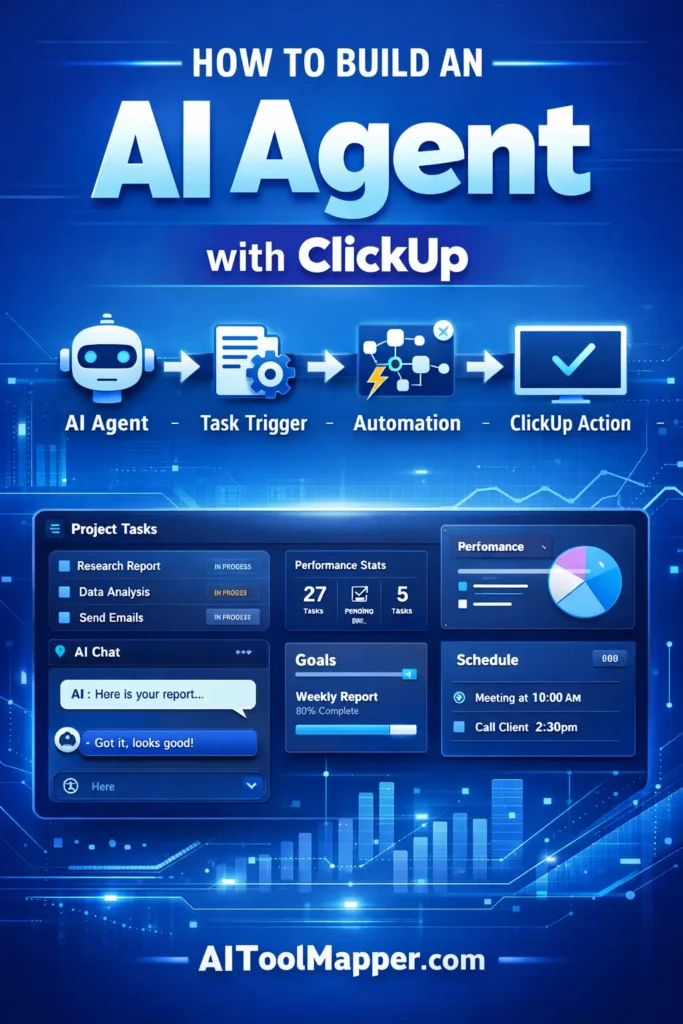
6. How to Build an AI Agent with ClickUp (Step-by-Step Tutorial)
Now we reach the core of this guide.
Let’s walk through how to build AI agents in ClickUp without coding.
Step 1: Define the Purpose of Your AI Agent
Start with a clear goal.
Common AI agents include:
Project Assistant AI
Meeting Summary AI
Marketing Content AI
Workflow Automation Bot
Without a defined purpose, automation becomes messy.
Step 2: Create the Workflow Structure
Next, build the workflow environment.
Inside ClickUp, create:
folders
lists
tasks
dependencies
This structure acts as the framework for your AI agent.
Step 3: Add AI Automation
Now integrate AI features into your workflow.
Examples include:
generating task descriptions automatically
summarizing task updates
creating project reports
You can trigger these using ClickUp automation rules.
Step 4: Connect Integrations
Integrations expand the power of your AI agent.
Common integrations include:
Slack
Google Drive
CRM tools
email systems
This allows your AI agent to interact with multiple tools.
Step 5: Test and Optimize the AI Agent
Finally, test the automation.
Check if the AI agent correctly:
updates tasks
generates summaries
sends notifications
Then optimize prompts and automation rules.
Over time, the system becomes smarter.
7. Real-World Examples of ClickUp AI Agents
To understand the potential, let’s look at real use cases.
Marketing AI Agent
A marketing team can build an AI agent that:
generates content ideas
organizes campaign tasks
summarizes marketing reports
Project Manager AI Agent
This agent helps project managers by:
monitoring deadlines
generating project summaries
identifying delays
Customer Support AI Agent
Support teams can use AI agents to:
summarize tickets
categorize issues
assign support tasks automatically
8. ClickUp AI Features That Power AI Agents
Several features combine to make AI agents possible.
AI Task Generation
AI can generate task lists automatically.
AI Document Assistant
ClickUp AI writes and edits documentation.
AI Knowledge Search
Users can ask questions and retrieve workspace knowledge instantly.
AI Project Summaries
AI analyzes tasks and produces progress reports.
AI Workflow Suggestions
ClickUp AI can suggest improvements to workflows.
This combination creates a powerful AI workflow automation system.
9. Fathom AI vs ClickUp AI: Which Tool Is Better?
Some users compare ClickUp AI with meeting assistants.
One example is Fathom AI.
Here’s a quick comparison.
| Feature | ClickUp AI | Fathom AI |
|---|---|---|
| Primary Use | Project management AI | Meeting assistant |
| Automation | Advanced workflows | Limited |
| AI summaries | Yes | Yes |
| Task management | Yes | No |
| Best for | Teams & projects | Meeting notes |
Conclusion
ClickUp AI → best for workflow automation
Fathom AI → best for meeting transcription
10. Best Use Cases for ClickUp AI Agents
Some of the most popular use cases include:
AI project management assistant
AI task automation bot
AI meeting summary assistant
AI productivity workflow builder
These agents save time while improving organization.
11. Common Mistakes When Building AI Agents
Even powerful tools require thoughtful implementation.
Here are common mistakes.
Unclear Automation Goals
If the objective isn’t clear, the AI agent will produce inconsistent results.
Solution: Define a clear workflow purpose.
Poor Workflow Structure
Disorganized task systems confuse automation rules.
Solution: Use structured folders and task hierarchies.
Lack of Integrations
Without integrations, the AI agent becomes limited.
Solution: connect communication and storage tools.
Over-Automation
Too much automation can break workflows.
Solution: automate only repetitive tasks.
12. Tips to Optimize ClickUp AI Workflows
Want better performance from your AI agent?
Try these strategies.
Use Structured Task Templates
Templates make automation consistent.
Write Clear AI Prompts
The quality of prompts affects results.
Connect Key Integrations
Integrations increase automation possibilities.
Track Workflow Performance
Regular monitoring helps refine automation.
13. Future of AI Agents in Productivity Tools
AI agents are still evolving.
In the next few years we’ll likely see:
autonomous workflow systems
AI decision support tools
AI collaboration assistants
AI-powered project managers
Platforms like ClickUp are leading this transition.
Expect AI to become a core component of productivity platforms.
Frequently Asked Questions (FAQs)
What is ClickUp AI?
ClickUp AI is a smart productivity assistant built into ClickUp that helps teams streamline work. It can generate content, summarize tasks, automate workflows, and provide insights from workspace data. By reducing manual effort and improving efficiency, it allows teams to manage projects faster and collaborate more effectively.
What does ClickUp AI do?
ClickUp AI enhances productivity by assisting with task management, content creation, and workflow automation. It analyzes project data to generate summaries, automate repetitive actions like reporting, and provide actionable insights. This helps teams stay organized, improve collaboration, and complete projects with greater speed and accuracy.
How to use ClickUp AI for automation?
To use ClickUp AI for automation, enable AI features within your workspace and design structured workflows. Use AI prompts to generate updates, summaries, and tasks automatically. Combine this with ClickUp automation rules and integrations to streamline repetitive processes, saving time and improving overall project efficiency.
How to build an AI agent in ClickUp AI?
Start by defining your AI agent’s purpose, such as handling project updates or marketing tasks. Create workflows and automation rules in ClickUp, then use AI to generate insights and reports. Continuously test and refine prompts and workflows to improve accuracy, efficiency, and overall performance.
Is ClickUp AI free to use?
ClickUp AI is not completely free and is usually offered as a paid add-on to ClickUp plans. Pricing may vary based on usage and workspace size. However, it provides significant value by automating tasks, saving time, and improving productivity across teams.
Can ClickUp AI generate content?
Yes, ClickUp AI can generate various types of content, including task descriptions, emails, blog drafts, and reports. It uses AI-powered prompts to create high-quality text quickly, helping teams reduce writing time and maintain consistency across documents and communication.
Does ClickUp AI integrate with other tools?
ClickUp AI works seamlessly with ClickUp integrations such as Slack, Google Workspace, and other productivity tools. These integrations enhance automation capabilities by allowing data sharing, task updates, and communication across multiple platforms, creating a more connected workflow environment.
Is ClickUp AI suitable for small teams?
Yes, ClickUp AI is ideal for small teams as it simplifies project management and reduces manual workload. It helps teams organize tasks, automate repetitive processes, and improve collaboration, making it easier for smaller teams to scale productivity without adding extra resources.
How accurate is ClickUp AI?
ClickUp AI is generally accurate in generating summaries, content, and insights, especially when provided with clear inputs. However, like any AI tool, it may occasionally require human review. Regular refinement of prompts and workflows can significantly improve its accuracy and reliability.
Can ClickUp AI replace human project managers?
ClickUp AI cannot fully replace human project managers but acts as a powerful assistant. It automates repetitive tasks, provides insights, and improves efficiency. Human decision-making, leadership, and strategic planning are still essential for managing teams and complex projects successfully.
Conclusion
Artificial intelligence is transforming the way teams manage work.
Instead of manually handling every task, companies can now rely on AI agents to automate workflows, summarize data, and organize projects.
ClickUp AI is one of the most accessible tools for building these intelligent systems.
The best part?
You don’t need to be a developer.
With structured workflows, automation rules, and smart prompts, anyone can build AI agents with ClickUp and dramatically improve productivity.
As AI continues evolving, platforms like ClickUp will likely become the central hub for intelligent workplace automation.
So if you haven’t experimented with AI workflows yet, now is the perfect time to start.
Found this helpful? Save it to your Pinterest board!