
Lindy – The Ultimate AI Assistant For Work
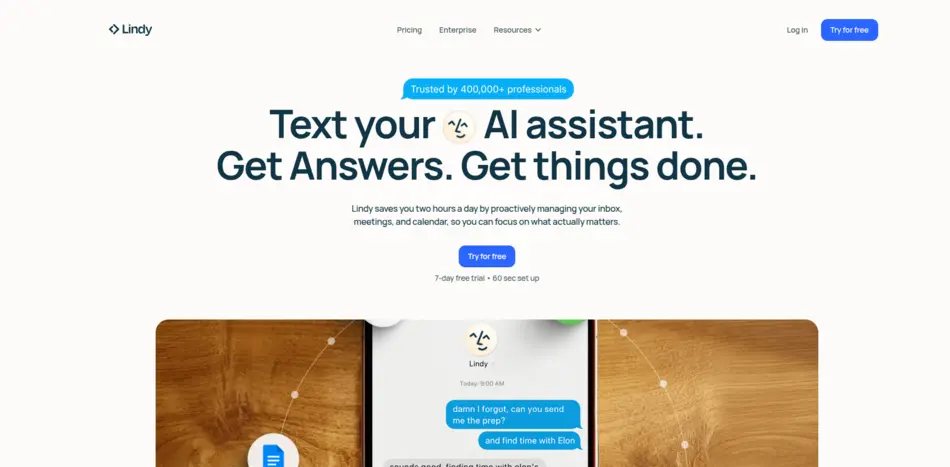
Lindy is an AI-powered executive assistant software aimed at professionals and teams who want to automate admin-heavy work like scheduling, inbox management, follow-ups, and status updates. It combines large language models with workflow automation and integrations so it behaves more like a proactive “digital employee” than a simple chatbot.
Key facts
- Primary use case: AI executive assistant for email, calendar, meetings, and workflows
- Form factor: Web app + SMS/text-style assistant, with app integrations
- Target users: Busy professionals, executives, and small teams needing automation
- Core value prop: Save ~2 hours per day via inbox and calendar automation
- Notable features: Meeting scheduling, email drafting, summaries, phone/voice agents, multi-app workflows
What Lindy does
Lindy focuses on classic executive-assistant tasks: managing calendars, scheduling meetings across time zones, resolving conflicts, and protecting focus blocks. It also triages inboxes, drafts and sends emails in the user’s tone, summarizes long threads, and prepares meeting briefs and follow-ups automatically. For ongoing work, it can compile weekly digests and status reports from calendar events, emails, and docs.
How it works
Users describe what they want their “assistant” or agent to do in natural language, then connect tools like Google Calendar, Outlook, email, Slack, CRM, and other apps. Lindy uses this access to take actions—booking meetings, sending messages, creating tasks—rather than just suggesting them. It can be triggered by events (like a new email) and follow rules about priorities, guardrails, and escalation paths.
Notable capabilities and limitations
Beyond inbox and scheduling, Lindy offers specialized templates like AI Executive Assistant, Administrative Assistant, Sales Assistant, and others, effectively letting users spin up role-specific “AI employees.” However, external reviews note that it currently shines more for individual executives and solo workflows; some critics say it’s less optimized for deeply collaborative, team-wide processes compared with alternatives.
Typical use cases
Common use cases include: executives offloading calendar and email admin, founders running lean without a full-time EA, sales or recruiting workflows with heavy scheduling and follow-up, and professionals who want automatic meeting notes, action items, and reminders generated from calls and events.