In 2026, AI tools have become more beginner-friendly than ever. From writing and design to productivity, business, and automation, modern AI tools now require little to no technical knowledge. This guide explores the best AI tools for beginners in 2026, including free and paid options, categorized by use case, with practical tips on choosing and using them effectively.
Best AI Tools for Beginners in 2026
Artificial intelligence used to feel intimidating. Complex dashboards, technical jargon, and steep learning curves kept beginners at a distance. But that barrier is gone. In 2026, AI tools are no longer built just for engineers or data scientists—they’re designed for everyday people.
Whether you’re a student trying to study smarter, a freelancer juggling multiple clients, a content creator chasing consistency, or a small business owner short on time, AI tools now act like digital teammates. You don’t need coding skills. You don’t need expensive hardware. In many cases, you don’t even need a credit card to start.
The best AI tools for beginners in 2026 focus on simplicity, speed, and real-world results. Interfaces are cleaner. Onboarding feels human. Tutorials guide you step by step. Instead of asking “How does this work?”, you’re asking “What should I build next?”
In this in-depth guide, you’ll discover beginner-friendly AI tools across writing, design, productivity, business, education, video, audio, travel, and coding. You’ll also learn how to choose the right tools, avoid common mistakes, and start your AI journey the smart way—without overwhelm.
Why Beginners Should Start Using AI Tools in 2026

The year 2026 marks a turning point. AI is no longer “experimental.” It’s practical, affordable, and deeply integrated into everyday workflows. For beginners, this is the best possible moment to start.
First, no-code AI tools dominate the market. You don’t configure models or manage datasets. You type what you want, click a button, and get results. Tools like ChatGPT, Canva AI, and Notion AI have rewritten the rules of accessibility.
Second, productivity gains are undeniable. Tasks that once took hours—writing drafts, designing graphics, summarizing research, editing videos—now take minutes. Beginners can compete with professionals simply by using the right AI tools intelligently.
Finally, AI tools serve real people with real goals. Students use them to learn faster. Freelancers use them to deliver more work. Small businesses use them to automate repetitive tasks. This is why AI tools for beginners in 2026 aren’t optional anymore—they’re essential.
What Makes an AI Tool Beginner-Friendly?
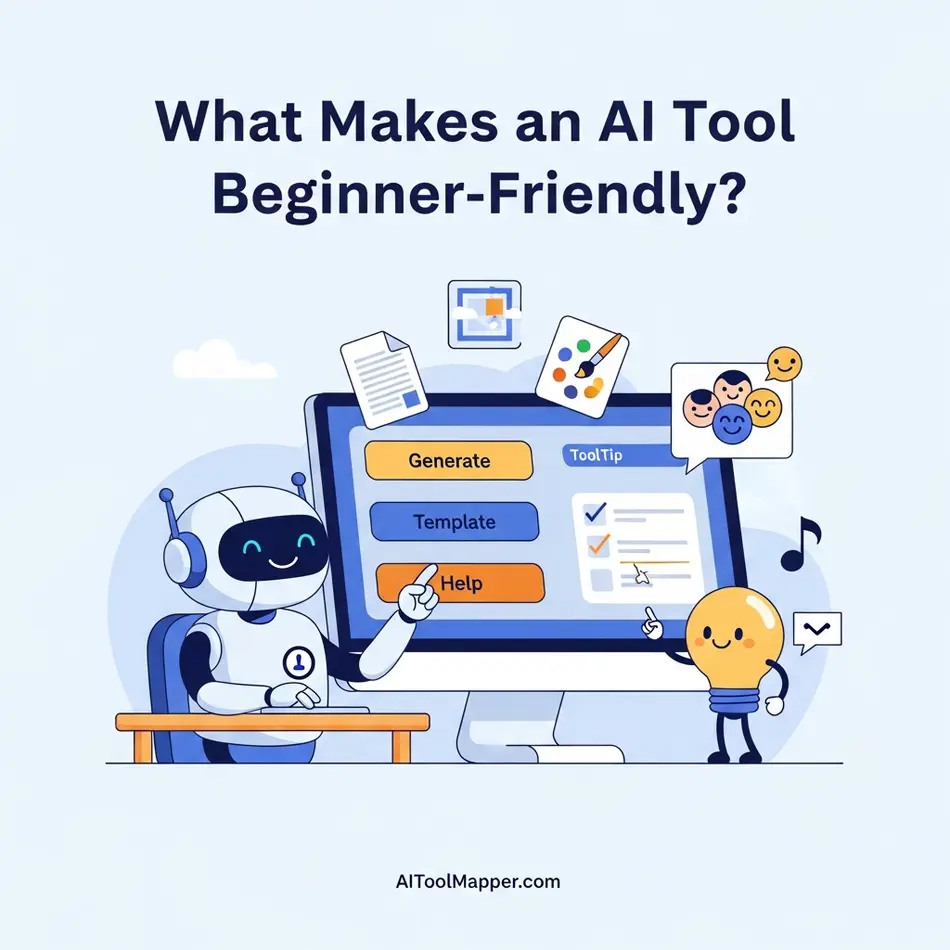
Not every AI tool is beginner-friendly. Some look simple but hide complexity under the hood. Truly beginner-friendly AI software shares a few clear traits.
- Simple Interface: Clean dashboards with minimal buttons and clear labels
- Free Plans: Enough features to learn without financial pressure
- Guided Onboarding: Walkthroughs, tooltips, and examples
- No Technical Knowledge Required: No coding, APIs, or configurations
- Strong Community & Support: Blogs, tutorials, and active user forums
When evaluating the best AI tools for beginners, these factors matter more than advanced features. Beginners don’t need power—they need clarity.
Best AI Tools for Beginners in 2026 (Category-Wise List)
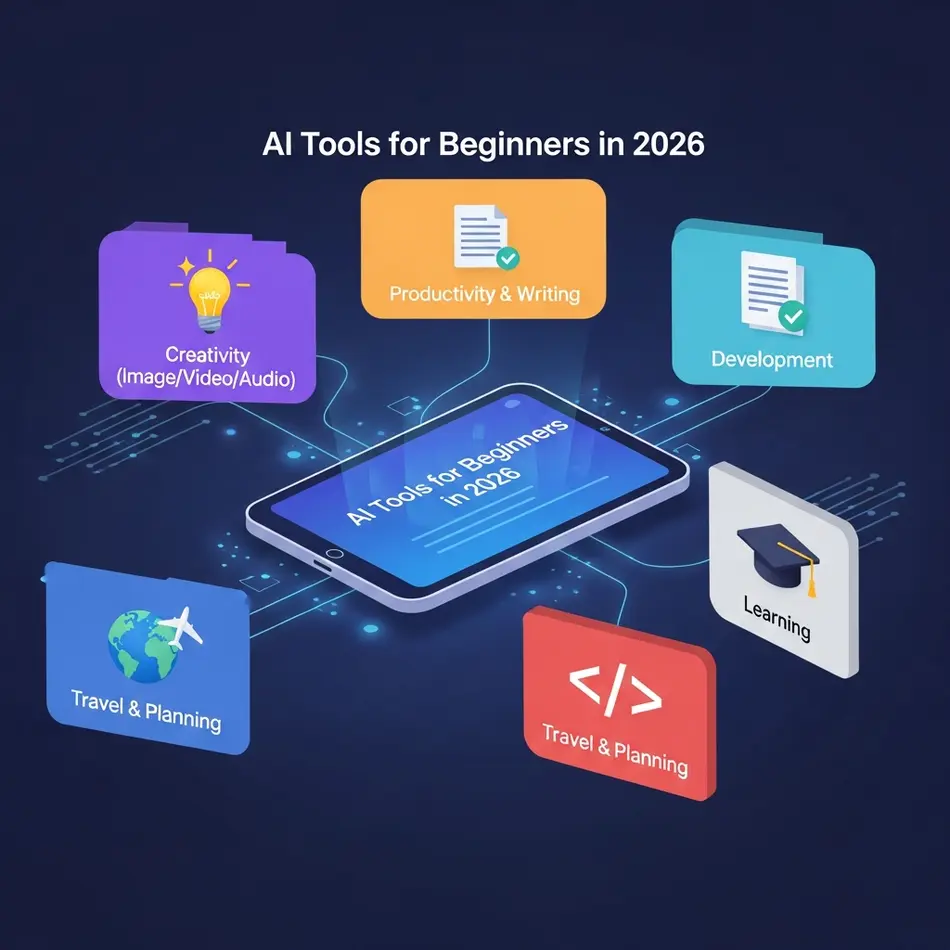
This is where theory meets reality. Below is a carefully curated, beginner friendly AI software list, categorized by real use cases.
Best AI Writing Tools for Beginners (2026)
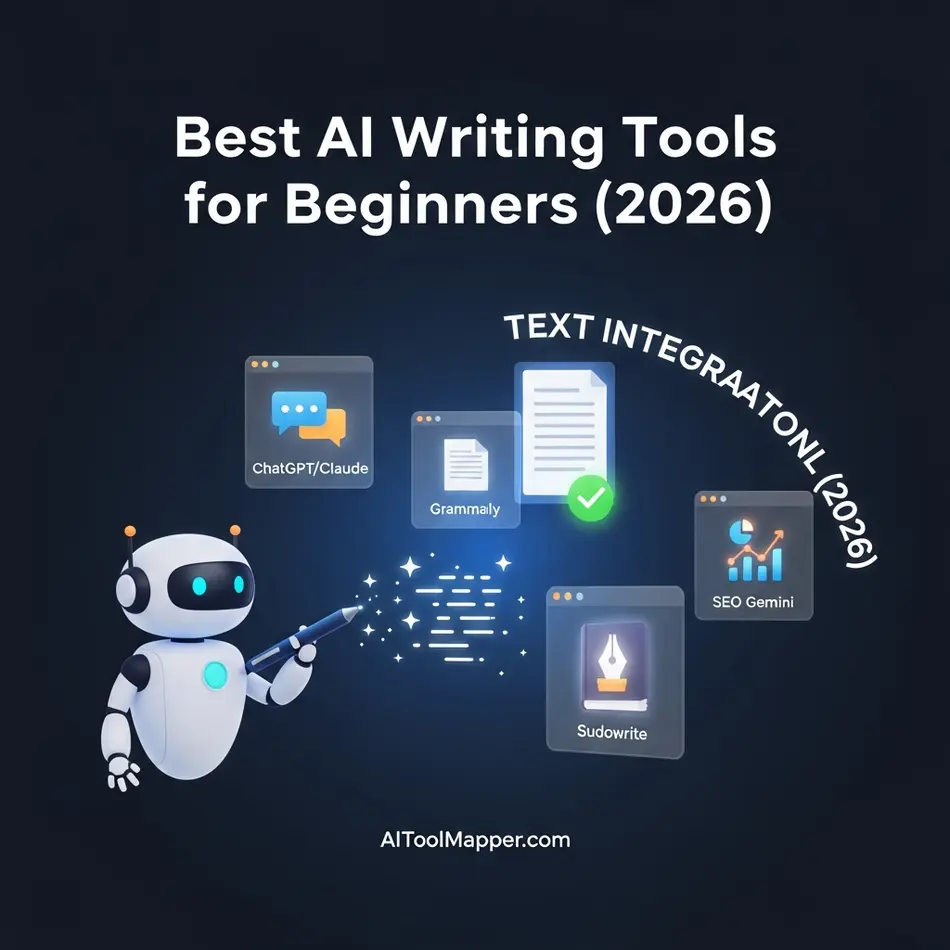
Writing is usually the first place beginners explore AI—and for good reason. The tools below remove friction, boost confidence, and help users create high-quality content without feeling overwhelmed. Each of these AI writing tools is trusted, beginner-friendly, and widely used in 2026.
ChatGPT
ChatGPT continues to be the most beginner-friendly AI writing tool available in 2026. Its biggest strength lies in its conversational interface, which makes writing feel natural rather than technical. Beginners use ChatGPT for blog posts, emails, social media captions, summaries, brainstorming ideas, and even learning new topics.
What makes ChatGPT ideal for beginners is that it doesn’t require perfect prompts. You can simply explain what you want in plain English, refine the output step by step, and learn as you go. It feels more like collaborating with a smart writing partner than using software, which lowers the learning curve significantly.
Claude
Claude is especially popular among beginners who focus on long-form and structured writing. It excels at essays, explanations, reports, and detailed articles, delivering responses that feel thoughtful, balanced, and easy to read. Many beginners appreciate Claude’s calm and neutral tone, which works well for educational, academic, and professional content.
Another advantage of Claude is how well it handles complex ideas without sounding confusing. For beginners who want clarity without oversimplification, Claude strikes a comfortable middle ground.
Gemini (Google)
Gemini is a strong choice for beginners already using Google products daily. Its tight integration with Google Docs, Gmail, and Google Search makes it incredibly convenient. Beginners can generate content, rewrite emails, summarize documents, or research topics without switching platforms.
Because Gemini feels like an extension of familiar Google tools, beginners don’t feel like they’re learning something new from scratch. This seamless experience makes it one of the easiest AI writing tools to adopt in 2026.
Sudowrite
Sudowrite is designed with creative writers in mind, making it perfect for beginners working on stories, novels, or fiction projects. Instead of just generating text, Sudowrite helps writers expand scenes, improve descriptions, and explore alternative directions for their stories.
Beginners often struggle with writer’s block, and Sudowrite tackles this problem head-on. It offers gentle suggestions rather than forcing rigid outputs, helping new writers stay creative while maintaining control over their voice.
Jasper
Jasper is best suited for beginners interested in marketing and business writing. It specializes in ad copy, landing pages, product descriptions, and social media content. Beginners in content marketing or small business owners appreciate Jasper’s ready-made templates, which guide them toward proven copywriting structures.
While Jasper is more goal-oriented than conversational tools like ChatGPT, it’s still beginner-friendly thanks to its guided workflows and clear use cases.
Rytr
Rytr is a lightweight and budget-friendly AI writing tool that works well for beginners who want quick results without complexity. Its simple interface and wide range of templates make it easy to generate content such as emails, short blogs, captions, and website copy.
Beginners often choose Rytr because it removes decision fatigue. You select a use case, add a few details, and Rytr handles the rest. It’s ideal for users who want efficiency without diving deep into advanced features.
Why These AI Writing Tools Matter for Beginners in 2026
These tools are consistently recognized as the best AI writing tools for beginners in 2026 because they prioritize usability over complexity. They help users focus on ideas and creativity instead of technical setup. Whether someone wants to write faster, think clearer, or publish with confidence, these tools offer a safe and reliable starting point.
For beginners, choosing the right AI writing tool isn’t about power—it’s about comfort, clarity, and trust. And these tools deliver exactly that.
Best AI Design Tools for Beginners

Canva Magic Studio (Canva AI)
Canva Magic Studio is widely considered the best AI design tool for beginners, and for good reason. It removes almost every barrier that new users face when starting with design. You don’t need to understand layouts, typography, or color theory. You simply describe what you want—such as a social media post, presentation, poster, or thumbnail—and Canva’s AI instantly generates polished designs.
What makes Canva AI especially beginner-friendly is its visual editor. You can drag, drop, resize, and customize everything without breaking the design. Features like Magic Design, Magic Write, and AI image generation help beginners create professional-looking visuals in minutes. For students, freelancers, and small businesses, Canva Magic Studio feels less like software and more like a creative assistant that does the heavy lifting.
Microsoft Designer
Microsoft Designer brings AI-powered design directly into the Microsoft ecosystem, making it an excellent choice for beginners who already use tools like Word, PowerPoint, or Outlook. The tool focuses heavily on social media graphics, ads, banners, and promotional visuals, which are common needs for beginners and small businesses.
With Microsoft Designer, users simply type a prompt such as “Instagram post for a coffee shop” and the AI generates multiple design options instantly. The layouts are clean, modern, and optimized for different platforms. Because it’s connected to Microsoft services, beginners don’t feel lost learning a completely new system. This makes Designer a reliable entry-level AI design tool for users who want fast results with minimal learning effort.
Midjourney
Midjourney is known for producing some of the most visually striking AI-generated images available today. While it works primarily through text prompts, beginners quickly become comfortable with it by experimenting and observing how small changes in prompts affect results. This hands-on learning style makes Midjourney surprisingly accessible, even for users with no design background.
For beginners interested in digital art, concept design, illustrations, or creative visuals, Midjourney opens up a world of possibilities. You don’t need drawing skills or expensive software. The AI handles composition, lighting, and artistic style automatically. Over time, beginners develop prompt-writing skills naturally, turning Midjourney into both a creative tool and a learning experience.
Adobe Firefly
Adobe Firefly is Adobe’s answer to beginner-friendly AI design, built with a strong focus on commercial safety and professional use. This is especially important for beginners who plan to use AI-generated designs for business, marketing, or client work. Firefly’s outputs are trained to be safe for commercial projects, reducing copyright concerns.
Firefly allows beginners to generate images, apply text effects, and enhance visuals using simple prompts. Because it integrates seamlessly with tools like Photoshop and Illustrator, users can gradually transition from beginner-level AI generation to more advanced design workflows. For anyone who wants to learn professional design tools without feeling overwhelmed, Adobe Firefly provides a smooth and confidence-building starting point.
Figma (with AI)
Figma with AI features is an excellent choice for beginners interested in UI/UX design and app or website layouts. Traditionally, UI design required deep technical knowledge, but Figma’s AI-assisted tools simplify the process dramatically. Beginners can generate layouts, auto-organize components, and receive design suggestions without understanding complex design systems.
What makes Figma beginner-friendly is its collaborative and visual nature. Users can see changes in real time and experiment freely without fear of breaking anything. Figma AI helps beginners focus on ideas and structure rather than technical details, making it one of the easiest ways to step into interface and product design in 2026.
Uizard
Uizard is designed specifically for speed and simplicity, which is why beginners love it. The tool allows users to turn hand-drawn sketches, wireframes, or simple ideas into functional UI designs almost instantly. You can upload a rough sketch, and Uizard’s AI converts it into a clean digital interface.
For beginners with ideas but no design skills, Uizard feels almost magical. It’s especially useful for startups, students, and non-designers who want to visualize apps or websites quickly. There’s no need to learn design theory or complex tools. Uizard focuses on transforming ideas into visuals as fast as possible, which builds confidence and momentum for new users.
Why These AI Design Tools Matter for Beginners in 2026
These AI design tools matter for beginners in 2026 because they remove the biggest barriers to creativity—technical skills, complex software, and long learning curves. Tools like Canva Magic Studio, Microsoft Designer, and Uizard allow beginners to create professional-quality designs simply by describing what they want. Instead of worrying about layouts, colors, or design rules, users can focus on ideas while the AI handles the heavy lifting.
At the same time, tools such as Midjourney, Adobe Firefly, Figma with AI, and Runway help beginners grow creatively without feeling overwhelmed. They make advanced design, illustration, UI, and video creation accessible through simple prompts and visual editors. For beginners, these tools don’t just save time—they build confidence, encourage experimentation, and turn first-time users into capable creators faster than ever before.
Best AI Productivity Tools for Beginners
Productivity is often the first reason beginners turn to AI—and for good reason. The tools below are designed to reduce mental load, save time, and help you focus on what actually matters. You don’t need technical skills or complex setups. These AI productivity tools work quietly in the background, making everyday tasks smoother and faster.
Grammarly
Grammarly is much more than a grammar checker in 2026. For beginners, it acts like a real-time writing assistant that improves clarity, tone, and confidence. Whether you’re writing emails, assignments, blog posts, or social media captions, Grammarly AI suggests better word choices, fixes awkward sentences, and helps your message sound natural and professional.
What makes Grammarly especially beginner-friendly is that it works everywhere—browsers, Google Docs, emails, and even messaging apps. You don’t need to “learn” it. It simply guides you while you write, making it one of the best AI productivity tools for beginners who want better communication without overthinking.
Notion AI
Notion AI is often described as a “second brain” for beginners—and that description fits perfectly. It helps you organize notes, tasks, ideas, goals, and projects in one clean workspace. With AI built in, beginners can summarize long notes, generate task lists, rewrite content, or brainstorm ideas instantly.
Instead of juggling multiple apps, Notion AI brings everything together. Students use it for study notes, freelancers use it for project planning, and professionals use it for daily task management. The interface is simple, flexible, and grows with you, which is why Notion AI stands out as a beginner-friendly productivity tool in 2026.
Otter.ai
Otter.ai is a lifesaver for beginners who attend meetings, lectures, or interviews. It automatically records conversations and turns them into searchable, well-structured notes. You don’t have to worry about missing important points or writing everything down manually.
For students, Otter helps capture lectures accurately. For professionals, it creates meeting summaries and highlights action items. Beginners appreciate Otter because it works automatically—just hit record and focus on listening. This hands-free approach makes Otter.ai one of the easiest AI productivity tools to adopt with immediate benefits.
Reclaim.ai
Time management is hard, especially for beginners. Reclaim.ai solves this by automating your schedule. It intelligently blocks time for tasks, habits, breaks, and meetings—without constant manual adjustments.
Beginners don’t need to plan every minute of their day. Reclaim learns priorities and adapts when schedules change. If a meeting pops up, it reshuffles tasks automatically. This makes Reclaim.ai perfect for beginners who want better time control without micromanaging their calendar.
Perplexity
Perplexity is a research-first AI search engine that beginners quickly fall in love with. Instead of showing endless links, it gives direct, well-structured answers—along with citations. This makes it especially useful for students, writers, and professionals who care about accuracy.
Beginners trust Perplexity because it shows where information comes from, unlike many traditional AI tools. Whether you’re researching a topic, learning something new, or validating facts, Perplexity delivers clarity without information overload. It’s a powerful yet simple productivity boost for everyday research tasks.
Why These Tools Stand Out for Beginners
What connects Grammarly, Notion AI, Otter.ai, Reclaim.ai, and Perplexity is simplicity. They don’t demand technical knowledge. They don’t overwhelm users with features. Instead, they solve real problems—writing better, organizing work, saving time, and finding reliable information.
These are truly the best AI productivity tools for beginners who want results, not complexity.
Best Free AI Tools for Beginners (2026)

Not long ago, “free AI tools” were limited, clunky, or unreliable. That’s no longer true. In 2026, many free AI tools for beginners are powerful enough to handle real work—writing, research, design, and productivity—without asking for a subscription upfront. For someone just starting out, these tools offer the perfect balance of simplicity, usefulness, and zero financial risk.
Below are some of the best free AI tools beginners can confidently start with, each offering strong core features even on their free plans.
ChatGPT (Free Tier)
ChatGPT remains the most popular starting point for beginners exploring AI for the first time. The free version allows users to ask questions, generate text, brainstorm ideas, summarize content, and learn new concepts in a conversational way. What makes ChatGPT beginner-friendly is its natural language interface—you don’t need to know commands or technical terms. You simply type what you want, and it responds.
For beginners, ChatGPT works well as a writing assistant, learning companion, productivity helper, and idea generator. Even without advanced paid features, the free tier is powerful enough for daily use and experimentation, making it one of the best free AI tools for beginners in 2026.
Google Gemini (Free Access)
Google Gemini is especially useful for beginners who already rely on Google Search, Docs, Gmail, and Drive. Its free version integrates smoothly into the Google ecosystem, helping users research topics, draft content, summarize documents, and answer complex questions with real-time context.
Beginners appreciate Gemini because it feels familiar. Instead of learning a new platform from scratch, they can use AI directly within tools they already understand. For students, researchers, and everyday users, Gemini offers a low learning curve and reliable results without any upfront cost.
Claude (Free Access)
Claude is known for its thoughtful, well-structured responses and strong handling of long-form text. The free version is particularly useful for beginners who want clear explanations, ethical reasoning, and organized writing assistance.
Many beginners use Claude for essay drafting, content outlining, summarizing long documents, and understanding complex topics in simple language. Its calm tone and structured output make it feel less overwhelming than some other AI tools, which is why it’s often recommended as a beginner-friendly AI software option.
Perplexity
Perplexity stands out as a free AI research tool that prioritizes accuracy and transparency. Unlike traditional AI chat tools, Perplexity provides answers with source citations, making it ideal for beginners who want trustworthy information.
Students, bloggers, and researchers use Perplexity to explore topics, validate facts, and quickly understand unfamiliar subjects. Because it combines AI responses with real web references, beginners feel more confident relying on the information they receive—without paying for premium features.
Canva AI
Canva AI proves that design doesn’t have to be complicated or expensive. Its free plan includes AI-powered tools for creating graphics, presentations, social media posts, short videos, and marketing visuals—all through a simple drag-and-drop interface.
For beginners with no design background, Canva AI removes the fear factor. You can generate layouts, images, and text suggestions in seconds. This makes it one of the best free AI tools for beginners interested in content creation, branding, or visual storytelling.
Grammarly (Free Version)
Grammarly’s free version is a must-have for beginners who write regularly. While the premium plan offers advanced features, the free tool still provides essential grammar correction, spelling checks, clarity improvements, and tone suggestions.
Beginners often underestimate how much writing quality matters—whether it’s emails, assignments, blogs, or social posts. Grammarly quietly improves writing in the background, helping users sound more confident and professional without requiring any learning curve.
NotebookLM
NotebookLM is a powerful yet underrated free AI tool, especially for learners and researchers. It allows users to upload documents, notes, PDFs, or articles and then ask questions directly based on their own content.
For beginners, this is incredibly useful for studying, summarizing research, organizing information, and understanding complex materials faster. Instead of searching through long files manually, NotebookLM acts like a personal AI study assistant—completely free to use.
Why These Free AI Tools Are Perfect for Beginners
What makes these tools stand out isn’t just that they’re free—it’s that they’re usable, reliable, and genuinely helpful. Beginners can explore AI without pressure, learn at their own pace, and figure out what works best before committing to paid plans.
If you’re just starting your AI journey in 2026, these free tools give you everything you need to experiment, learn, and build confidence—without spending a single dollar.
Best AI Tools for Students & Learners

Learning in 2026 looks very different than it did just a few years ago. Students are no longer limited to textbooks, long lectures, or static notes. Today, AI tools for students and learners act like personal tutors, research assistants, and study planners—all rolled into one. The biggest advantage? These tools don’t require technical skills, making them ideal AI tools for beginners in education.
Whether you’re in school, college, or self-learning online, AI helps you understand topics faster, write better assignments, and stay organized without feeling overwhelmed.
General AI Assistants for Students
ChatGPT and Google Gemini are often the first AI tools students try—and for good reason. They can explain complex topics in simple language, answer follow-up questions, generate practice problems, and even help with exam preparation. Instead of searching through dozens of articles, students can ask direct questions and get clear, conversational answers. For beginners, this feels less like using software and more like having a patient study partner available 24/7.
Writing & Research AI Tools
Writing assignments and research papers become far less stressful with tools like Grammarly, Jenni AI, and ScholarAI. Grammarly helps students improve grammar, tone, and clarity in real time, while Jenni AI supports academic writing by assisting with structure and idea flow. ScholarAI is especially useful for research-based learning, as it helps students discover credible sources and summarize academic papers. These tools don’t replace learning—they enhance understanding while improving writing quality.
Notes & Organization Tools Powered by AI
Staying organized is one of the hardest challenges for students. Notion AI and Microsoft Copilot solve this by turning scattered notes into structured study systems. Students can automatically summarize lectures, create to-do lists, and organize projects in one place. For beginners, this reduces mental clutter and helps them focus on learning instead of managing chaos.
AI Learning Platforms for Deep Understanding
Dedicated learning platforms like Mindgrasp, StudyFetch, YouLearn AI, Atlas, and Khanmigo (by Khan Academy) are transforming how students study. These platforms analyze uploaded notes, videos, or textbooks and turn them into quizzes, summaries, and explanations tailored to the student’s level. Khanmigo, in particular, stands out as an AI tutor designed specifically for learning—not shortcuts—making it a trusted choice for beginners.
Why These AI Tools Matter for Beginners
What makes these AI tools for students beginners truly powerful is personalization. Everyone learns differently, and AI adapts to that. Students can learn at their own pace, revisit difficult topics, and get explanations in multiple ways until concepts finally click. Instead of feeling behind, learners feel supported.
In short, these AI tools don’t just help students study faster—they help them learn smarter, with confidence.
Best AI Business Tools for Beginners
Running a small business used to mean wearing too many hats—marketing, design, customer support, planning, and operations. In 2026, that pressure has eased. AI business tools now give beginners access to enterprise-level capabilities without enterprise-level complexity. You don’t need a tech team or a big budget anymore. You just need the right tools.
These easy AI tools for small business beginners are designed to save time, reduce costs, and help you work smarter—not harder.
Canva Magic Studio
Canva Magic Studio is one of the most beginner-friendly AI business tools available today. It allows small business owners to create professional designs, marketing materials, presentations, social media posts, and even short videos—without any design experience.
With AI-powered features like text-to-design, background removal, brand kits, and instant resizing, Canva removes the need to hire designers for everyday tasks. Beginners can simply describe what they need, and Canva’s AI generates polished visuals in seconds. This makes it an ideal starting point for entrepreneurs who want strong branding without high costs.
Why beginners love it:
It’s visual, intuitive, and incredibly forgiving. You can’t “break” anything, and results look professional even on day one.
HubSpot AI
HubSpot AI brings automation and intelligence to marketing, sales, and customer support—without overwhelming beginners. It helps small businesses write emails, manage leads, create landing pages, analyze customer data, and respond faster to inquiries.
What makes HubSpot AI beginner-friendly is its guided workflows. Instead of guessing what to do next, the platform suggests actions based on your goals. For example, it can recommend email subject lines, optimize marketing content, or summarize customer interactions automatically.
Why beginners love it:
It replaces multiple tools with one simple dashboard and grows with your business over time.
Zapier (No-Code Automation)
Zapier is a game-changer for beginners who want automation without coding. It connects your favorite apps—like Gmail, Google Sheets, Slack, Shopify, or Notion—and automates repetitive tasks in the background.
For example, you can automatically save email attachments to cloud storage, add new leads to a CRM, or send notifications when orders are placed. Zapier uses simple “if this, then that” logic, making automation accessible even to first-time users.
Why beginners love it:
No technical skills needed. If you can set rules, you can automate your business.
Upmetrics (AI Business Planning)
Upmetrics is an AI-powered business planning tool designed specifically for founders and beginners. It helps users create business plans, financial forecasts, pitch decks, and market analysis without complex spreadsheets or financial jargon.
The AI assists with content suggestions, revenue projections, and clarity in planning—making it especially useful for startups seeking funding or direction. Beginners can build professional business plans that would normally require consultants or financial advisors.
Why beginners love it:
It turns confusing planning into a step-by-step process with clear guidance.
Why These AI Business Tools Matter for Beginners
Together, these tools cover design, marketing, automation, and planning—four critical areas for any small business. They allow beginners to focus on growth instead of busywork. By using these AI tools strategically, small business owners can operate leaner, make smarter decisions, and compete with larger companies.
In short, these are easy AI tools for small business beginners that truly reduce effort while increasing impact.
Best AI Video Generator Tools for Beginners

Video creation used to mean complex timelines, confusing layers, and hours of editing. In 2026, that barrier is almost gone. Modern AI video generator tools are designed for people who have ideas—but not editing experience. Whether you want to create social media clips, explainer videos, marketing ads, or short reels, these beginner-friendly AI tools make video creation fast, intuitive, and surprisingly fun.
Let’s look at the best AI video generator tools for beginners that require little to no technical knowledge.
Canva AI
Canva AI has completely changed how beginners approach video creation. Instead of starting with a blank timeline, you simply choose a template or describe what you want, and Canva’s AI handles the layout, animations, transitions, and even text placement. Beginners love Canva AI because it feels familiar—especially if they’ve already used Canva for graphics or presentations. It’s ideal for social media videos, YouTube intros, reels, and business promos without learning traditional video editing software.
CapCut
CapCut is one of the easiest AI-powered video tools for beginners, especially for short-form content. Its AI features automatically generate captions, remove backgrounds, sync visuals with music, and suggest edits. Beginners can create professional-looking TikTok, Instagram, and YouTube Shorts in minutes. CapCut’s interface is clean, mobile-friendly, and forgiving—perfect for anyone creating videos for the first time.
InVideo AI
InVideo AI is built specifically for people who want fast results without editing skills. You can type a short prompt or script, and the AI automatically generates a complete video with stock footage, voiceovers, music, and transitions. Beginners use InVideo AI for explainer videos, ads, and marketing content because it removes the need to manually assemble scenes. It’s especially helpful for small businesses and content creators working under tight deadlines.
Runway
Runway brings advanced AI video features into a surprisingly beginner-accessible interface. While it’s powerful, beginners appreciate how Runway simplifies tasks like background removal, object tracking, and AI-generated video effects. It’s a great choice for users who want to experiment creatively without diving into professional-grade editing software. Runway helps beginners produce cinematic results without feeling overwhelmed.
Luma Dream Machine
Luma Dream Machine focuses on AI-generated video from text prompts, making it exciting for beginners who want to explore creative storytelling. You describe a scene, and the AI generates realistic motion and visuals. Beginners enjoy Luma because it encourages experimentation without technical pressure. It’s ideal for concept videos, short visual stories, and creative content where imagination matters more than editing skills.
Adobe Firefly
Adobe Firefly makes AI video creation safer and more approachable for beginners entering professional or commercial work. It allows users to generate video elements, text effects, and animations using simple prompts while staying compliant with commercial usage standards. Beginners who want to create polished brand videos without mastering Adobe’s full editing suite find Firefly a comfortable starting point.
Why These Tools Are Perfect for Beginners
The biggest shift in 2026 is that video creation no longer requires editing expertise. These AI tools guide beginners step by step, automate complex tasks, and let users focus on ideas instead of timelines. Whether you’re creating content for fun, education, or business, these tools prove that anyone can create high-quality videos with the help of AI.
Best AI Text Generator Tools for Beginners
AI text generators have become a game-changer for beginners who want to write faster without feeling overwhelmed. In 2026, these tools are designed to feel less like “software” and more like a helpful writing partner. Whether you’re drafting emails, writing blog posts, creating social media captions, or scripting videos, beginner-friendly AI text tools can save time while improving clarity and tone. The best part? You don’t need any technical background—just an idea and a few prompts.
Below are some of the best AI text generator tools for beginners, trusted for their ease of use, accuracy, and flexibility.
ChatGPT
ChatGPT is often the first AI text generator beginners try—and for good reason. It works like a conversation, allowing users to write prompts in plain English and get natural, well-structured responses. Beginners can use ChatGPT to write emails, blog outlines, social captions, scripts, summaries, and even brainstorm ideas when creativity feels stuck.
What makes ChatGPT beginner-friendly is its ability to adapt. You can ask it to rewrite text, simplify language, change tone, or expand short ideas into full content. Even if you’re unsure what to write, ChatGPT helps guide the process instead of overwhelming you.
Best for: Blogs, emails, scripts, brainstorming, and learning how to write better.
Claude
Claude is known for its clean, thoughtful, and well-organized writing style. For beginners who prefer clarity over complexity, Claude feels calm and easy to work with. It handles long-form content especially well, making it a great option for articles, reports, and structured explanations.
Beginners appreciate Claude because it follows instructions carefully and avoids unnecessary fluff. If you want text that sounds professional yet natural—without spending time editing—Claude is a reliable choice.
Best for: Long articles, structured writing, explanations, and professional content.
Grammarly AI Writer
Grammarly AI Writer is perfect for beginners who already write but want their content to sound more polished. Instead of starting from scratch, Grammarly improves what you’ve written. It helps with tone, clarity, grammar, and sentence flow in real time.
Beginners often use Grammarly AI for emails, LinkedIn posts, blog drafts, and captions because it works quietly in the background. It doesn’t try to take over your writing—it simply makes it better.
Best for: Emails, professional writing, captions, and editing existing text.
QuillBot
QuillBot is widely used by beginners who need help rewriting or improving text. Its AI text generator focuses on paraphrasing, summarizing, and restructuring content while keeping the original meaning intact.
For students, bloggers, and content beginners, QuillBot is especially useful when content feels repetitive or unclear. You can instantly switch tones, simplify sentences, or make text more formal with just one click.
Best for: Paraphrasing, rewriting, summaries, and improving readability.
Rytr
Rytr is a lightweight AI text generator built with beginners in mind. It offers ready-made templates for emails, ads, blog sections, product descriptions, and social posts. This makes it easy for beginners who don’t know where to start.
The interface is simple, and results are quick. Rytr is often chosen by small business owners and freelancers who want fast content without spending time learning complex features.
Best for: Short-form content, marketing copy, emails, and captions.
Type.ai
Type.ai focuses on distraction-free writing with AI support built directly into the editor. Beginners who like clean writing environments appreciate how Type.ai suggests improvements, expansions, and rewrites without interrupting the creative flow.
It feels more like writing in a smart document than using a separate AI tool. This makes it ideal for bloggers, writers, and creators who want AI assistance without losing control over their voice.
Best for: Blog writing, long-form content, and focused writing sessions.
Why These AI Text Generators Are Ideal for Beginners
All of these tools share one thing in common: they reduce friction. You don’t need prompts mastery, technical skills, or writing expertise to use them effectively. They help beginners:
- Write faster with less effort
- Improve clarity and tone automatically
- Create content for emails, blogs, captions, and scripts
- Build confidence in writing over time
If you’re just starting out, these AI text generator tools make writing feel achievable—not intimidating.
Best AI Image Generator Tools for Beginners
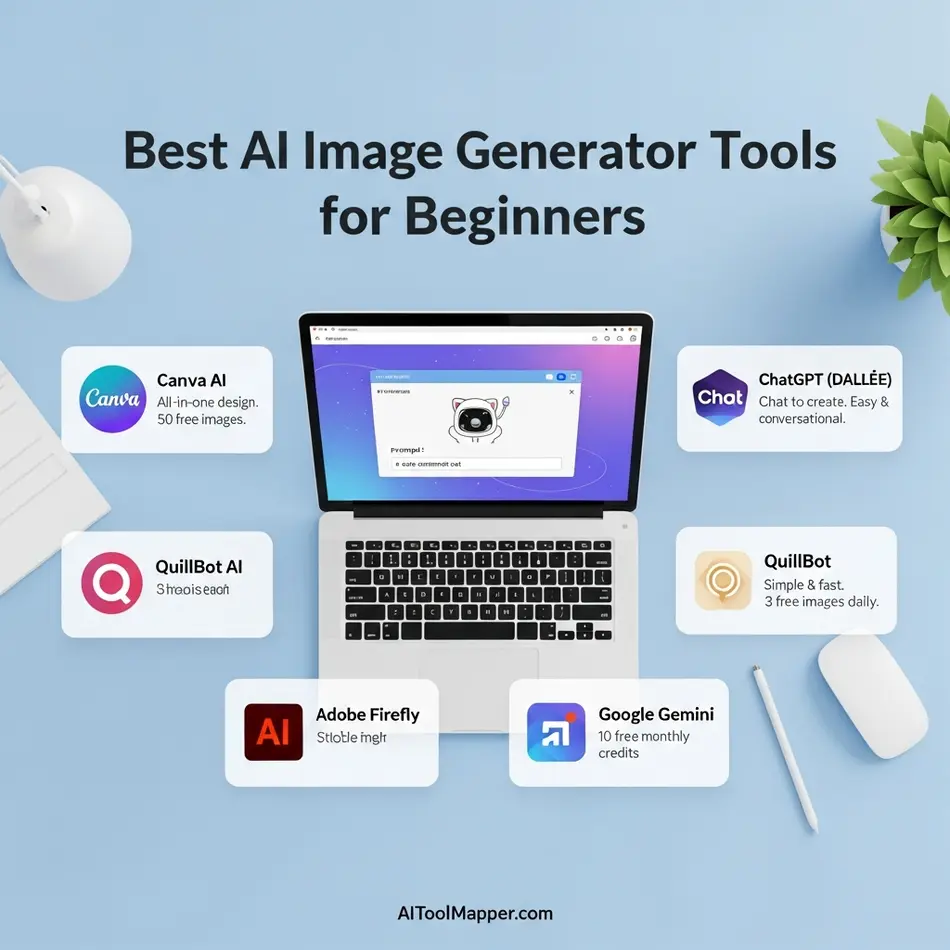
AI image generation in 2026 has become incredibly approachable. You no longer need design experience, complex prompts, or expensive software to create high-quality visuals. The tools below stand out because they are easy to use, beginner-safe, and practical for real-world needs like social media, blogs, presentations, and marketing creatives.
Canva AI (Magic Media)
Canva AI’s Magic Media is one of the most beginner-friendly AI image generators available today. It allows users to create images simply by typing a short description, with no need to understand prompt engineering or artistic styles.
What makes Canva AI ideal for beginners is how seamlessly it blends AI image generation into a familiar design workflow. You can instantly use generated images inside social posts, presentations, posters, or thumbnails without exporting or resizing files. The interface feels intuitive, even if you’ve never used an AI tool before.
For beginners, Canva AI removes friction. There’s no technical learning curve, and the results are consistent enough for everyday content creation. It’s especially useful for students, small businesses, and content creators who want fast visuals without design stress.
Best for: Social media graphics, blog images, presentations, marketing creatives
Beginner advantage: Extremely simple UI and ready-to-use templates
ChatGPT with DALL·E 3
ChatGPT with DALL·E 3 offers a conversational approach to AI image generation, making it ideal for beginners who prefer explaining ideas in plain language. Instead of crafting complex prompts, users can describe what they want naturally and refine it through follow-up questions.
One of the biggest strengths of DALL·E 3 is accuracy. It understands context better than earlier image models and produces cleaner, more relevant visuals. Beginners can also ask ChatGPT to improve the prompt automatically, which removes guesswork entirely.
This tool is especially helpful for beginners who want creative control without technical complexity. You can generate illustrations, concept art, thumbnails, and custom visuals while learning how AI interprets ideas step by step.
Best for: Concept images, blog illustrations, creative visuals
Beginner advantage: Prompt assistance and conversational refinement
QuillBot AI Image Generator
QuillBot is widely known for writing tools, but its AI Image Generator is designed with the same beginner-first mindset. The interface is minimal, clean, and focused on delivering quick results without overwhelming users with settings.
This tool works well for users who want simple visuals to support written content. You enter a prompt, choose a general style, and receive usable images without needing artistic knowledge. The outputs are practical rather than overly stylized, which suits blogs, articles, and educational content.
For beginners who are already using QuillBot for writing or paraphrasing, this image generator feels like a natural extension rather than a new platform to learn.
Best for: Blog visuals, educational content, simple illustrations
Beginner advantage: Minimal controls and distraction-free experience
Adobe Firefly
Adobe Firefly is a powerful yet beginner-accessible AI image generator built with commercial safety in mind. Unlike many AI tools, Firefly is trained on licensed and Adobe-owned content, making it safer for professional and business use.
Despite being part of the Adobe ecosystem, Firefly does not feel intimidating. Beginners can generate images, apply text effects, and experiment with styles without needing Photoshop expertise. The interface is clean, and prompts are easy to adjust with sliders instead of technical commands.
Firefly is ideal for beginners who want polished, professional visuals without worrying about copyright or usage rights. It’s especially valuable for freelancers, marketers, and small businesses.
Best for: Marketing visuals, commercial graphics, brand assets
Beginner advantage: Safe content generation with guided controls
Google Gemini (Nano Banana)
Google Gemini’s image generation, often referred to informally as Nano Banana, focuses on speed, realism, and seamless integration with Google’s ecosystem. Beginners benefit from its simple prompt structure and fast output, especially when working inside Google tools.
Gemini excels at creating realistic images and practical visuals rather than artistic or experimental styles. This makes it a great choice for beginners who need images for presentations, documents, or educational projects.
Another major advantage is familiarity. Users who already rely on Google products feel instantly comfortable, reducing the learning curve even further.
Best for: Realistic images, presentations, educational use
Beginner advantage: Simple prompts and Google ecosystem integration
Why These AI Image Generator Tools Are Ideal for Beginners
For beginners, the best AI image generator is not the most powerful—it’s the one that feels easy, predictable, and forgiving. Tools like Canva AI and ChatGPT with DALL·E 3 lead the way by removing complexity and letting creativity flow naturally.
If you’re just starting, choose one tool, experiment freely, and focus on learning how AI responds to your ideas. Confidence comes quickly when the tool works with you, not against you.
Best AI Audio Generator Tools for Beginners
Audio creation used to require microphones, studios, and editing skills. In 2026, that’s no longer the case. AI audio generator tools allow beginners to create music, voiceovers, podcasts, audiobooks, and sound effects with just a few clicks. These tools are designed with simple interfaces, ready-made templates, and instant previews—making them perfect for non-technical users.
Whether you’re a content creator, student, YouTuber, marketer, or small business owner, AI audio tools help you produce professional-quality sound without prior experience.
🎵 AI Music Generator Tools for Beginners
Suno
Suno is one of the most beginner-friendly AI music generators available today. You simply describe the mood, genre, or lyrics, and Suno creates complete songs—including vocals and instrumentals. Beginners love Suno because it removes the complexity of music composition and delivers ready-to-use tracks for videos, reels, and creative projects.
Udio
Udio focuses on high-quality, studio-style music generation. It allows beginners to experiment with different musical styles, tempos, and moods without understanding music theory. The platform is intuitive, making it ideal for users who want polished results with minimal effort.
Boomy
Boomy is perfect for beginners who want fast results. With just a few clicks, users can generate original music tracks and even distribute them on streaming platforms. Its simplicity makes it a popular choice for creators who want background music without spending hours tweaking settings.
Soundraw
Soundraw is designed for creators who need royalty-free music. Beginners can select mood, length, and style, and the AI generates custom tracks instantly. It’s especially useful for YouTube videos, ads, and presentations where copyright-safe music is essential.
🎙 AI Voice Generator Tools for Beginners
ElevenLabs
ElevenLabs is widely known for its ultra-realistic AI voices. Beginners can generate natural-sounding voiceovers by simply pasting text. The tool is ideal for audiobooks, YouTube narration, explainer videos, and podcasts—without needing voice acting skills or recording equipment.
Murf AI
Murf AI is built for beginners who want professional voiceovers quickly. It offers multiple voice styles, accents, and tones, all accessible through a clean dashboard. Many beginners use Murf AI for business presentations, training videos, and marketing content.
Speechify
Speechify converts text into speech in a very beginner-friendly way. It’s commonly used by students and readers who want to listen to articles, PDFs, or notes. With its simple setup, Speechify makes audio content accessible without any learning curve.
Play.ht
Play.ht allows beginners to create high-quality AI voiceovers for blogs, podcasts, and e-learning content. Its interface is straightforward, and it supports multiple languages and voice styles, making it suitable for global audiences.
🔊 AI Sound Effects & Voice Cloning Tools for Beginners
Meta AudioBox
Meta AudioBox focuses on generating sound effects using text prompts. Beginners can type simple descriptions like “rain in a city” or “door opening,” and the AI produces realistic audio effects. It’s especially useful for video creators and game designers.
Uberduck
Uberduck is a fun and beginner-friendly platform that allows users to generate voice clips and experiment with voice cloning. It’s popular for creative projects, memes, and short-form content where unique voices are needed.
MiniMax
MiniMax offers AI voice cloning and advanced audio generation in a simplified way. Beginners can replicate voice styles and generate expressive audio without deep technical knowledge, making it useful for storytelling and creative audio projects.
Why AI Audio Tools Are Ideal for Beginners in 2026
AI audio generator tools are now designed to assist creativity, not complicate it. They eliminate technical barriers, reduce production time, and allow beginners to focus on ideas rather than equipment. With free plans, simple controls, and instant outputs, these tools make audio creation accessible to everyone.
For beginners exploring AI-powered sound, these tools serve as the perfect starting point—helping you create music, voiceovers, and sound effects confidently from day one.
Best AI Travel Tools for Beginners (Quick Guide)

Planning a trip used to mean juggling multiple tabs, spreadsheets, and endless comparisons. In 2026, AI travel tools simplify the entire experience—especially for beginners. These tools don’t just suggest destinations; they understand preferences, budgets, and time constraints. Below are the best AI travel tools for beginners that make trip planning smarter, faster, and far less stressful.
Mindtrip
Mindtrip is designed for travelers who want a complete itinerary without feeling overwhelmed. You simply tell the AI where you want to go, how long you’re traveling, and what kind of experience you’re looking for. Mindtrip then builds a structured travel plan that includes attractions, food spots, daily schedules, and local insights.
For beginners, Mindtrip stands out because it feels like working with a personal travel planner rather than a tool. The interface is clean, the suggestions are practical, and you don’t need to tweak complex settings. It’s especially useful for first-time international travelers or people planning multi-day trips.
Best for: Stress-free itinerary planning
Beginner benefit: Minimal input, well-organized results
TripAdvisor Trip Builder
TripAdvisor Trip Builder uses AI to transform user reviews, ratings, and travel data into actionable travel plans. Beginners can select destinations, dates, and interests, and the tool automatically suggests attractions, restaurants, and activities based on real traveler experiences.
What makes this tool beginner-friendly is trust. Since recommendations are built on millions of verified reviews, users feel confident in their choices. You don’t need to research endlessly—TripAdvisor does the heavy lifting and presents everything in one place.
Best for: Trusted recommendations
Beginner benefit: Real-world reviews + AI planning combined
Wonderplan
Wonderplan is perfect for travelers who want quick answers without complicated steps. It generates travel itineraries instantly based on destination, duration, and travel style. The tool focuses on simplicity, making it ideal for beginners who just want a plan and don’t care about advanced customization.
Beginners appreciate Wonderplan because it removes decision fatigue. Instead of asking too many questions, it gives a clear, day-by-day outline that can be adjusted later if needed.
Best for: Fast itinerary generation
Beginner benefit: One-click travel planning
Roam Around
Roam Around specializes in city-level travel planning. You enter a city name, and the AI creates a personalized itinerary highlighting major attractions, hidden gems, and food recommendations. It’s particularly useful for short trips, weekend getaways, or city breaks.
For beginners, Roam Around works well because it doesn’t overwhelm users with options. The suggestions are concise, practical, and easy to follow. It’s like having a local guide in your pocket.
Best for: City travel planning
Beginner benefit: Simple, location-focused itineraries
Vacay
Vacay uses conversational AI to help travelers plan trips through natural language prompts. You can literally type, “Plan a 5-day budget trip to Paris,” and Vacay responds with ideas, suggestions, and itineraries.
This tool is great for beginners because it doesn’t require structured inputs or forms. You talk to it like a human, and it responds the same way. That conversational experience lowers the learning curve significantly.
Best for: Chat-based travel planning
Beginner benefit: No technical setup, natural conversation
iMean AI
iMean AI focuses on smart travel decision-making. It analyzes flights, hotels, and routes to help users find cost-effective and time-efficient travel options. Beginners often struggle with comparing prices and schedules—this is where iMean AI shines.
Instead of browsing multiple booking platforms, users get AI-powered insights in one place. The interface is straightforward, and the recommendations are explained clearly, which builds trust.
Best for: Budget and route optimization
Beginner benefit: Clear, data-driven suggestions
Kayak (via ChatGPT)
Kayak’s integration with ChatGPT brings conversational search to travel booking. Beginners can ask questions like, “Find me the cheapest flight to Tokyo in April,” or “What’s the best time to book hotels in Rome?” and get instant, contextual answers.
This combination works well because it removes traditional search friction. You don’t need to know filters or booking strategies—ChatGPT interprets your intent and uses Kayak’s data to guide you.
Best for: Flights and hotel search
Beginner benefit: Natural language booking assistance
Gondola
Gondola uses AI to predict travel prices and trends. It helps beginners understand when to book and when to wait by analyzing historical data and market patterns. Instead of guessing, users get insights backed by data.
For new travelers, Gondola reduces anxiety around overpaying. The tool explains its recommendations in plain language, making it easy to trust even if you’re unfamiliar with travel pricing strategies.
Best for: Price prediction and timing
Beginner benefit: Confidence in booking decisions
Why These AI Travel Tools Are Perfect for Beginners
All these tools share a few key traits:
- No complex setup or technical knowledge
- Clear, guided user experiences
- Practical recommendations instead of overwhelming data
Together, they represent the easiest AI travel tools to use in 2026, helping beginners plan smarter trips without stress.
If you’re building a travel-focused AI tools list or directory, these tools are excellent additions—especially for users just starting their AI journey.
Best AI Code Generator Tools for Beginners
Learning to code in 2026 looks very different from a few years ago. Beginners no longer need to memorize syntax, frameworks, or complex programming rules before building something useful. Today’s AI code generator tools act like real-time coding mentors, helping you write, fix, and understand code as you go.
Instead of staring at a blank screen, beginners can start with an idea—and let AI guide the implementation. These tools are especially valuable for students, startup founders, and non-technical creators who want to build apps, websites, or automations without years of experience.
Below are the best AI code generator tools for beginners that make learning practical, fast, and confidence-building.
GitHub Copilot
GitHub Copilot is one of the most popular AI coding assistants in the world, and for good reason. Built directly into popular code editors like VS Code, it suggests complete lines of code, functions, and even entire files as you type.
For beginners, Copilot removes the fear of “not knowing what to write next.” You can start with a comment like “create a login form”, and Copilot generates a working structure instantly. Over time, beginners naturally learn patterns and best practices simply by seeing high-quality code examples in real time.
Why beginners love it:
It teaches coding by example, not theory—perfect for learning by doing.
Cursor
Cursor is an AI-powered code editor designed specifically for conversational coding. Beginners can literally talk to their codebase using natural language. You can ask questions like “Why is this function failing?” or “Refactor this for better performance,” and Cursor responds with explanations and fixes.
What makes Cursor beginner-friendly is its focus on understanding, not just output. It explains why changes are made, which helps new programmers build real confidence instead of blindly copying code.
Why beginners love it:
It feels like having a personal coding tutor inside your editor.
Bolt.new
Bolt.new is perfect for beginners who want to build full applications quickly. It allows users to describe what they want—such as a landing page, web app, or feature—and generates working code instantly.
Beginners don’t need to set up environments, manage dependencies, or write boilerplate code. Bolt.new handles the heavy lifting so users can focus on learning how things connect rather than getting stuck on setup issues.
Why beginners love it:
You can go from idea to working app in minutes, even with minimal coding experience.
Codeium
Codeium is a powerful free AI coding assistant that supports multiple programming languages and editors. For beginners, its biggest advantage is accessibility—it offers strong features without requiring a paid plan.
Codeium helps with auto-completion, error detection, and code suggestions, making it easier for new developers to write clean and functional code. It’s especially useful for students who want a reliable AI tool without a subscription barrier.
Why beginners love it:
A generous free plan with professional-level code assistance.
Replit Ghostwriter
Replit Ghostwriter is built directly into the Replit online coding platform, making it one of the easiest AI tools for absolute beginners. There’s no software installation, no local setup, and no configuration headaches.
Beginners can write, run, and debug code in the browser while Ghostwriter suggests improvements, explains errors, and helps generate new code. This instant feedback loop makes learning fast and less frustrating.
Why beginners love it:
Everything works in one place—write, run, and learn without setup stress.
Why AI Code Generators Are Perfect for Beginners
Traditional coding education focused heavily on memorization—syntax, rules, and frameworks. In 2026, that model is outdated. Modern AI code generator tools allow beginners to learn by building real projects, which leads to faster understanding and better retention.
Instead of asking, “What does this syntax mean?”, beginners now ask, “What do I want to create?”—and AI helps bridge the gap.
For anyone starting their coding journey today, these tools don’t replace learning—they accelerate it.
AI Tools Comparison for Beginners (2026)
| Tool | Use Case | Free/Paid | Difficulty |
| ChatGPT | Writing, ideas | Free/Paid | Easy |
| Canva AI | Design, video | Free/Paid | Easy |
| Notion AI | Productivity | Free/Paid | Easy |
| Perplexity | Research | Free | Easy |
| Zapier | Automation | Paid | Medium |
This AI tools comparison beginners 2026 helps avoid decision fatigue.
How to Choose the Right AI Tool as a Beginner
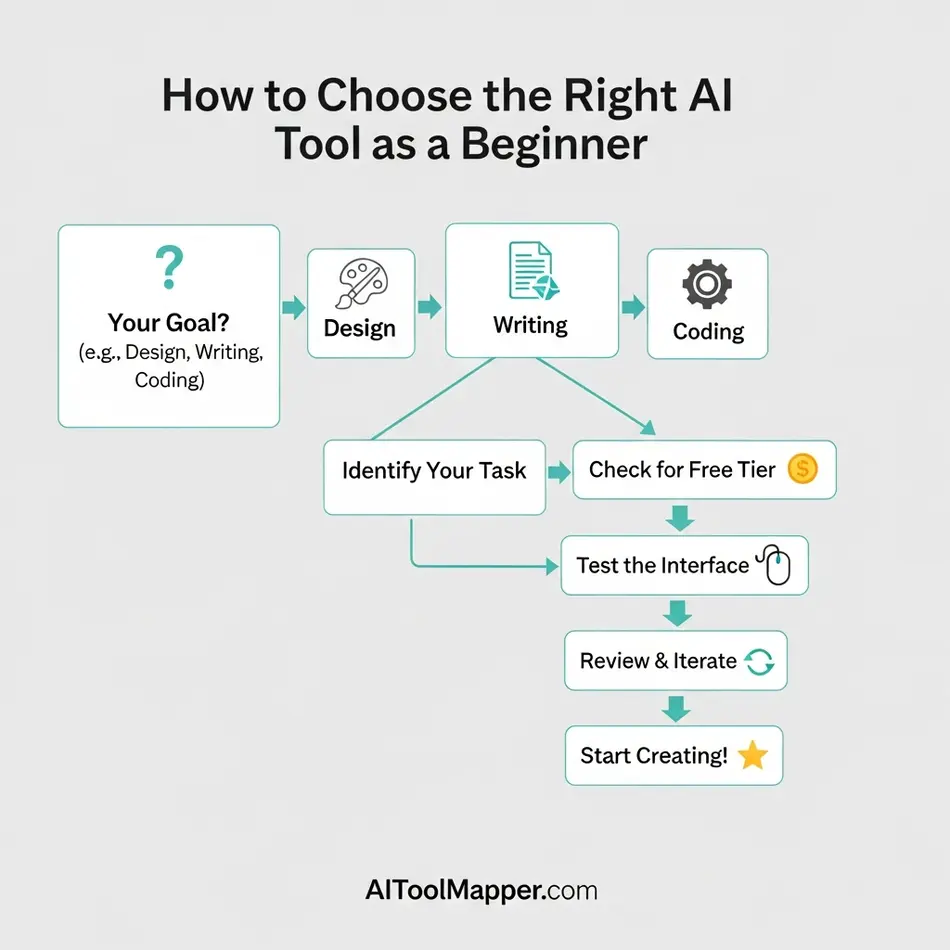
Choosing your first AI tool can feel overwhelming. There are hundreds of options, each promising to save time or boost productivity. The key is not to try everything at once—but to start with intention.
Begin by clearly defining your goal. Ask yourself a simple question: What problem am I trying to solve right now?
If you want to write faster, look at AI writing tools. If visuals are your priority, explore AI design tools. If you’re studying or researching, focus on AI tools built for learning and organization. Picking one category keeps things focused and manageable.
Next, start with free AI tools or free plans. Most beginner-friendly AI software offers generous free access that’s more than enough to learn the basics. This allows you to experiment without pressure and understand how AI fits into your workflow before spending money.
One of the most common beginner mistakes is feature overload. Advanced tools often come packed with options you don’t need yet. Instead of chasing every feature, choose a simple tool with a clean interface and clear guidance. Mastering one AI tool will give you more confidence than juggling five at once.
Finally, scale only when you feel ready. Once an AI tool becomes part of your daily routine—and you understand its strengths and limits—you can explore paid plans or complementary tools. This gradual approach prevents burnout, reduces frustration, and helps you build real confidence with AI.
When beginners choose AI tools this way, learning feels natural, progress feels visible, and AI becomes a helpful partner—not a confusing burden.
Common Mistakes Beginners Make with AI Tools
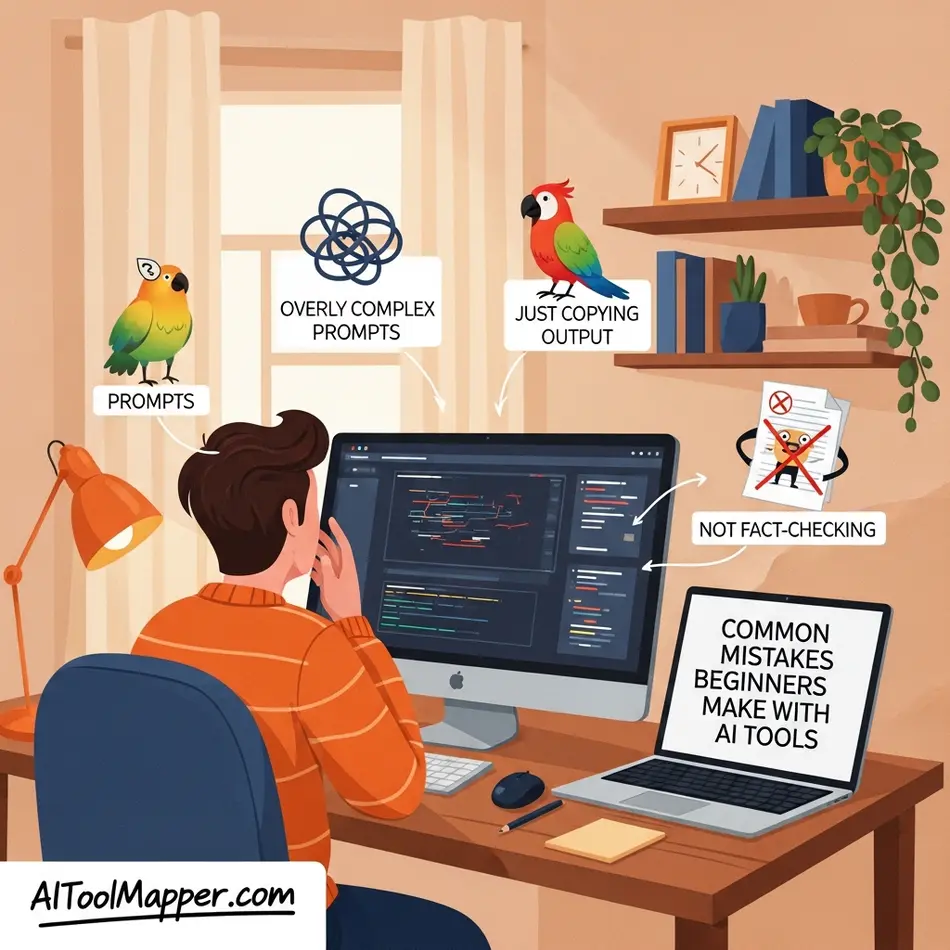
AI tools are powerful, but they’re not magic buttons. Many beginners jump in with big expectations and end up frustrated—not because the tools are bad, but because of how they’re used. Understanding these common mistakes early can save time, money, and unnecessary confusion.
Using Too Many AI Tools at Once
One of the most common beginner mistakes is trying every AI tool at the same time. Writing tools, design tools, automation tools, chatbots—it’s tempting to test them all. The result? Overwhelm.
Each AI tool has its own workflow, strengths, and limitations. When beginners use too many tools at once, they never fully learn any of them. Productivity drops instead of improving. A smarter approach is to start with one tool for one purpose, master it, and then expand gradually.
Skipping Tutorials and Onboarding
Many beginners assume AI tools should work perfectly without any learning. They skip walkthroughs, onboarding screens, and tutorials—and then wonder why results feel underwhelming.
Most beginner-friendly AI tools are designed to teach you how to use them effectively. Tutorials often explain prompt structure, best practices, and hidden features. Spending just 15–30 minutes learning the basics can dramatically improve output quality and confidence.
Expecting AI to Think for Them
AI is an assistant, not a replacement for human thinking. Beginners sometimes expect AI to generate perfect answers without context, guidance, or judgment. When results don’t match expectations, they blame the tool.
The truth is simple: AI reflects the quality of your input. Clear goals, thoughtful prompts, and human decision-making still matter. AI can speed up work, suggest ideas, and remove friction—but it can’t replace creativity, strategy, or critical thinking.
AI Enhances Thinking—It Doesn’t Replace It
The most successful beginners use AI as a thinking partner, not a crutch. They ask better questions, refine outputs, and apply human insight on top of AI-generated content.
When used correctly, AI tools sharpen your thinking, save time, and unlock creativity. When used incorrectly, they create dependency and frustration. The difference lies in mindset—AI works best when you stay in control.
Beginner’s Guide – How to Start Using AI Tools Step-by-Step
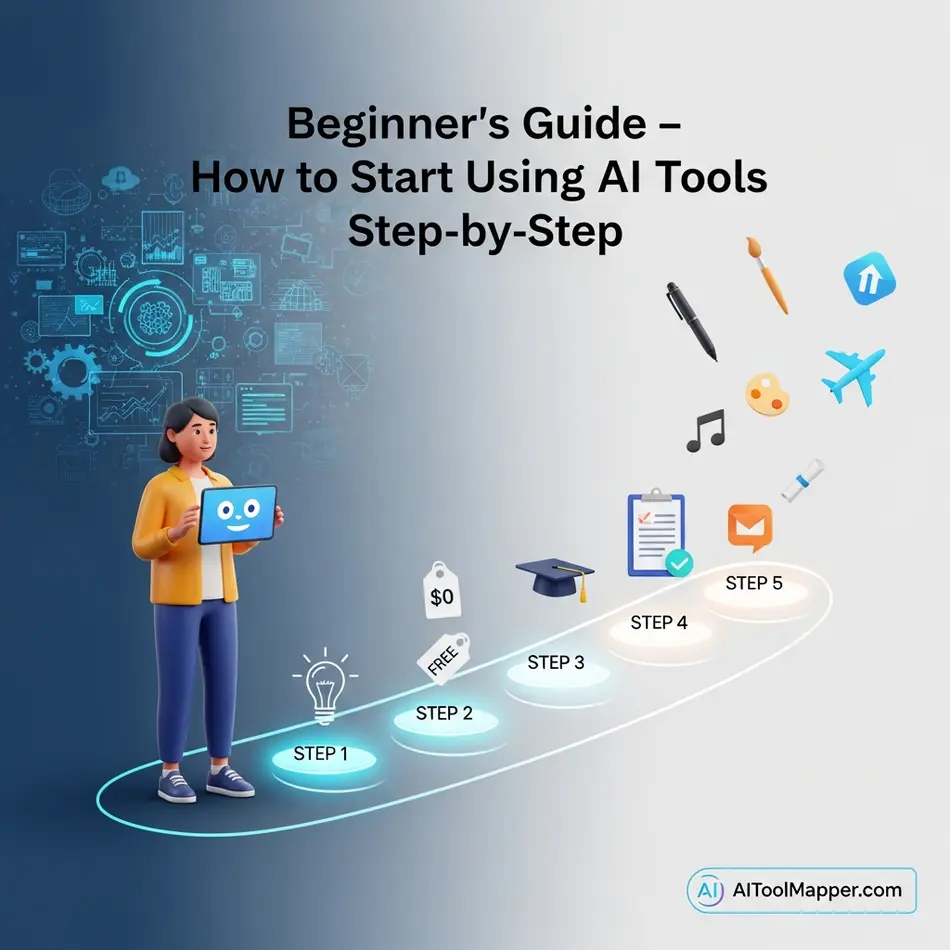
Starting with AI doesn’t require a tech background or hours of training. In fact, the biggest mistake beginners make is trying to learn everything at once. AI works best when you approach it slowly and with purpose. This step-by-step beginner’s guide helps you build confidence, avoid overwhelm, and actually see results from day one.
Step 1: Choose One AI Category Based on Your Goal
Before signing up for any tool, pause and ask yourself a simple question: What do I want help with right now? Writing, designing, studying, organizing work, or saving time? Picking just one category keeps your learning focused. For example, if you struggle with writing emails or blog drafts, start with an AI writing tool. If visuals are your pain point, choose an AI design tool instead. Clear intent makes AI feel helpful, not confusing.
Step 2: Pick a Free AI Tool to Experiment Without Pressure
As a beginner, there’s no need to pay upfront. Many of the best AI tools for beginners in 2026 offer generous free plans that are more than enough to learn the basics. Free access removes the fear of “wasting money” and encourages experimentation. Tools like ChatGPT, Canva AI, Gemini, or Grammarly allow you to test features, make mistakes, and understand how AI responds—without any commitment.
Step 3: Learn the Basics Through Built-In Tutorials
Modern AI tools are designed with beginners in mind. Most platforms include onboarding guides, example prompts, tooltips, or short tutorials. Spend a little time exploring these resources instead of jumping straight into advanced features. Understanding how to ask better questions, structure prompts, or refine outputs can dramatically improve results. Think of this step as learning how to communicate with AI, not control it.
Step 4: Apply AI to Small, Daily Tasks
The fastest way to build confidence is to use AI in real life. Start small. Ask an AI tool to rewrite an email, summarize notes, create a simple design, or plan your day. When AI becomes part of your daily routine, it stops feeling like “new technology” and starts feeling like a productivity habit. Over time, you’ll naturally discover where AI saves you the most time and effort.
Step 5: Upgrade Only When Your Needs Grow
Once you’re comfortable and consistently using an AI tool, upgrading makes sense. Paid plans usually unlock faster performance, more usage limits, or advanced features. The key is timing—upgrade because you need more power, not because you feel pressured. By this stage, you’ll already know whether the tool fits your workflow, making the decision easy and confident.
Why This Beginner AI Tools Method Always Works
This approach works because it mirrors how people naturally learn. You start with focus, remove risk, learn gradually, apply immediately, and scale only when ready. Instead of feeling overwhelmed by dozens of AI tools, you build real skills with just one at a time. That’s why this AI tools beginners guide tutorial works every time—no stress, no confusion, just steady progress.
Future of Beginner AI Tools Beyond 2026
The evolution of beginner AI tools won’t slow down after 2026—in fact, this is where things get truly interesting. The next wave of AI isn’t about adding more features. It’s about removing friction. Tools are becoming quieter, smarter, and more intuitive, so beginners can focus on outcomes rather than learning curves.
One of the biggest shifts will be voice-first AI tools. Instead of typing prompts, beginners will simply speak their intent: “Create a weekly content plan,” “Summarize my meetings,” or “Design a landing page.” These tools will understand context, ask follow-up questions, and act instantly. For non-technical users, this feels less like software and more like having a personal assistant on call.
Another major trend is the rise of autonomous AI assistants. Rather than performing single tasks, beginner-friendly AI tools will handle entire workflows. For example, a small business owner could ask an AI to launch a campaign—and the assistant would write the copy, design visuals, schedule posts, track performance, and suggest improvements automatically. Beginners won’t need to jump between tools or dashboards; the AI will manage the process behind the scenes.
Perhaps the most impactful change will be one-click automation for everyday work. Tasks like file organization, email replies, reporting, customer follow-ups, and content repurposing will happen automatically with minimal setup. Beginners won’t need to understand automation logic or integrations. They’ll simply choose a goal, and the AI will build the workflow for them.
All of this points toward a future where beginners manage their work through a single, unified AI dashboard. Writing, design, planning, communication, and analytics will live in one place. Instead of learning multiple tools, users will learn how to think clearly about their goals—and let AI handle the execution.
In short, the future of beginner AI tools isn’t about replacing people. It’s about reducing complexity, empowering creativity, and giving beginners confidence to build, create, and grow without feeling overwhelmed by technology.
FAQs – Best AI Tools for Beginners in 2026
1. What is the best AI tool for beginners?
For beginners, ChatGPT is widely considered the best starting point. It offers a simple interface, supports multiple use cases like writing, coding, and research, and doesn’t require technical knowledge. Its conversational style makes it easy for anyone to start using AI effectively within minutes.
2. Are AI tools free for beginners?
Yes, many AI tools offer free plans suitable for beginners. Platforms like ChatGPT and Canva provide powerful features at no cost. While premium upgrades unlock advanced capabilities, free versions are often enough for learning and basic productivity tasks.
3. Which AI tool is easiest to use?
Tools like Canva and ChatGPT are among the easiest AI platforms to use. They feature intuitive interfaces, drag-and-drop functionality, and simple prompts, allowing beginners to create content, designs, and ideas without needing any prior technical experience.
4. Can beginners use AI for business?
Absolutely. Beginners can leverage AI tools like ChatGPT for content creation and Canva for branding and visuals. These tools simplify marketing, customer support, and workflow automation, making it easier for non-technical users to run and grow a business efficiently.
5. What can beginners use AI tools for?
Beginners can use AI tools for writing blogs, generating images, creating social media posts, designing graphics, and even coding. Platforms like ChatGPT help with text-based tasks, while Canva supports creative design work with ease.
6. Do I need coding skills to use AI tools?
No, most modern AI tools are designed for non-technical users. Tools like ChatGPT and Canva work with simple prompts or drag-and-drop features, allowing anyone to use them effectively without writing a single line of code.
7. Which AI tool is best for content creation?
For content creation, ChatGPT is ideal for writing blogs, scripts, and captions. Meanwhile, Canva helps create visuals, presentations, and social media graphics, making them a powerful combination for creators and marketers.
8. Are AI tools safe to use?
Yes, most reputable AI tools follow strict privacy and security standards. Platforms like ChatGPT and Canva are widely trusted. However, users should avoid sharing sensitive personal or business information when using any AI tool online.
9. How do I start using AI tools as a beginner?
Start by signing up for beginner-friendly tools like ChatGPT or Canva. Explore templates, try simple prompts, and gradually experiment with features. Most platforms offer tutorials and guides to help new users learn quickly.
10. Can AI tools help with SEO and marketing?
Yes, AI tools are extremely useful for SEO and marketing. ChatGPT can generate keyword-rich content, while Canva helps create engaging visuals. Together, they improve content quality, consistency, and overall digital marketing performance.
Conclusion: Start Your AI Journey the Smart Way
AI in 2026 is no longer about complexity—it’s about clarity. Beginners who start now gain a massive advantage. Experiment. Learn slowly. Build confidence.
To explore, compare, and discover even more beginner-friendly tools, visit AI Tool Mapper, your trusted directory for finding the right AI tools without overwhelm.