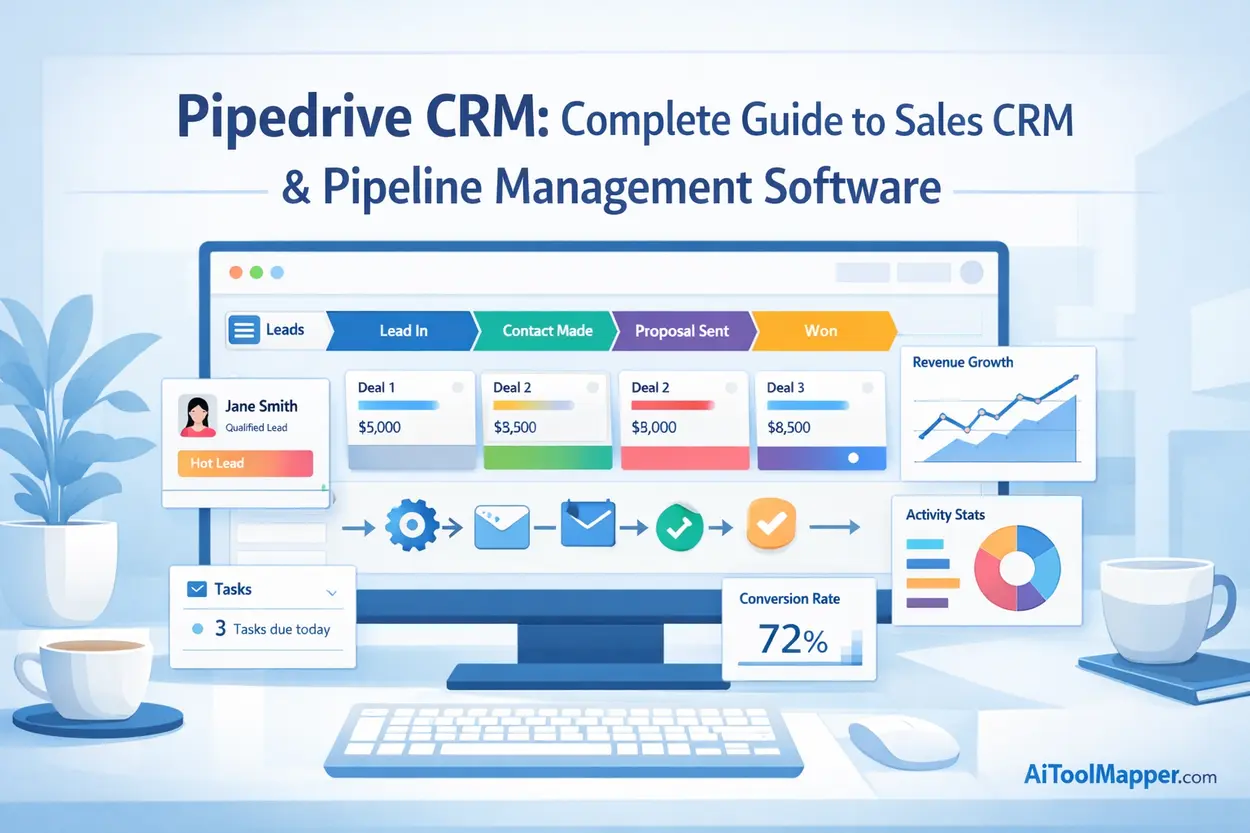
Pipedrive CRM is a sales-focused customer relationship management platform designed to help businesses organize leads, manage pipelines, and close deals efficiently. It provides a visual sales pipeline, automation workflows, analytics dashboards, and integrations with marketing and communication tools.
Companies use Pipedrive CRM to streamline their sales process, track deals through every stage of the pipeline, automate repetitive tasks, and gain insights from performance analytics. Its user-friendly interface and scalable pricing make it particularly popular among small businesses, startups, and growing sales teams looking to improve productivity and revenue.
Key Takeaways
- Pipedrive CRM is a powerful sales-focused customer relationship management platform.
- It helps businesses manage leads, track deals, and automate sales workflows.
- Visual pipeline management makes it easy to track opportunities and revenue.
- Automation and integrations improve team productivity.
- Pipedrive is especially popular among small businesses and growing sales teams.
Why Pipedrive CRM is a Game-Changer for Sales Teams
Sales teams face a common challenge: too many leads, too many conversations, and not enough clarity about what’s happening in the pipeline.
Imagine trying to manage dozens—or even hundreds—of deals using spreadsheets or scattered emails. Leads slip through the cracks. Follow-ups get delayed. Opportunities disappear.
This is exactly the problem modern sales CRM software aims to solve.
Among the many CRM platforms available today, Pipedrive stands out because it was designed by salespeople for salespeople. Rather than overwhelming users with unnecessary complexity, it focuses on what matters most: moving deals through the pipeline and closing them faster.
In this complete guide, we’ll explore:
- What Pipedrive CRM is and how it works
- Key features and automation capabilities
- Pipeline management strategies
- Pricing plans and integrations
- Real-world use cases
- Comparisons with other CRM platforms
Whether you’re a startup founder, sales manager, or entrepreneur looking to scale revenue, this guide will help you decide if Pipedrive CRM is the right solution for your business.
What is Pipedrive CRM?

Pipedrive CRM is a sales pipeline management and customer relationship management platform designed to help businesses track leads, manage deals, and automate sales workflows.
At its core, the platform focuses on one key principle:
If you can visualize your sales pipeline, you can improve it.
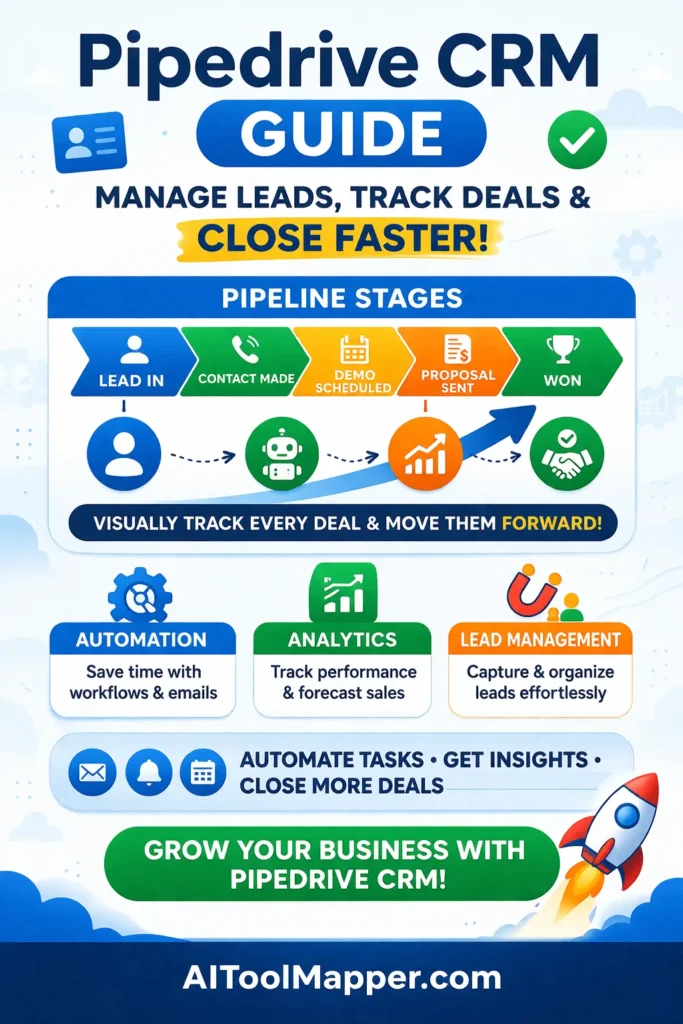
Instead of complex dashboards filled with unnecessary data, Pipedrive provides a clear visual pipeline where each deal moves through stages like:
- Lead captured
- Contact made
- Demo scheduled
- Proposal sent
- Deal won or lost
This structure makes it easy for sales teams to track progress and identify bottlenecks in their pipeline.
Key capabilities include:
- Lead management system
- Deal tracking tool
- Sales automation platform
- Reporting dashboards
- Email communication tools
History and Development of Pipedrive
Pipedrive was founded in 2010 in Estonia by a group of experienced sales professionals who were frustrated with traditional CRM systems.
Most CRM tools at the time were built for data storage, not sales productivity.
Their solution?
Create a CRM focused on activities and deals rather than contacts alone.
Since its launch, Pipedrive has grown rapidly and now serves 100,000+ companies worldwide across industries like SaaS, real estate, consulting, and marketing agencies.
Today, it competes with major CRM platforms such as:
- HubSpot CRM
- Salesforce
- Zoho CRM
Yet Pipedrive remains especially popular among small businesses and scaling sales teams.
Why Sales Teams Prefer Pipedrive
Sales professionals often choose Pipedrive for three reasons:
1. Simplicity
Many CRM systems feel complicated. Pipedrive is intentionally designed to be easy to learn and fast to implement.
2. Visual Pipeline
Instead of navigating multiple menus, users can drag and drop deals between pipeline stages.
3. Activity-Based Selling
Pipedrive encourages sales reps to focus on actions that move deals forward—calls, meetings, follow-ups, and demos.
How Pipedrive Compares to Traditional CRM Systems
Traditional CRM platforms often prioritize data storage and customer records.
Pipedrive, however, focuses on sales execution.
| Feature | Traditional CRM | Pipedrive CRM |
|---|---|---|
| Interface | Complex dashboards | Visual pipeline |
| Focus | Contact management | Deal progression |
| Setup | Time-consuming | Quick setup |
| Sales tracking | Limited | Advanced |
This difference makes Pipedrive particularly appealing for teams that want actionable insights rather than static databases.
Key Features of Pipedrive CRM
Visual Sales Pipeline Management
The visual pipeline is Pipedrive’s most recognizable feature.
Deals appear as cards within stages, making it easy to see:
- Current opportunities
- Expected revenue
- Next actions required
Sales managers can instantly understand where deals stand and what needs attention.
This concept is often called pipeline visualization, and it significantly improves sales transparency.
Deal and Lead Tracking
Pipedrive helps businesses manage leads from the first interaction to the final sale.
Users can store:
- Contact details
- Emails and conversations
- Meeting notes
- Deal value and probability
This transforms the CRM into a complete deal tracking tool.
Sales reps never lose context about a customer interaction again.
Workflow Automation
Automation reduces repetitive work.
For example, you can create automated workflows like:
- Send a follow-up email after a meeting
- Create tasks when a deal moves stages
- Notify managers when high-value deals appear
These CRM automation workflows free sales teams to focus on building relationships rather than performing manual updates.
Email Integration and Communication Tools
Pipedrive integrates with email platforms so users can send and track messages directly inside the CRM.
Email integrations include services like:
- Mailchimp
- Gmail
- Outlook
This ensures that all communication stays linked to the deal record.
Sales reps no longer need to switch between tools constantly.
Reporting and Sales Analytics
Sales decisions should be based on data—not guesses.
Pipedrive provides analytics dashboards that show:
- Conversion rates
- Sales cycle length
- Revenue forecasting
- Performance by sales rep
These insights help managers identify which strategies are working and where improvements are needed.
Mobile CRM App
Sales rarely happens only in the office.
Pipedrive’s mobile app allows teams to:
- Access deal data on the go
- Log calls and meetings
- Track pipeline changes
- Receive notifications
This ensures the CRM remains updated even when sales reps are traveling.
AI Sales Assistant
Artificial intelligence is transforming CRM software.
Pipedrive’s AI assistant analyzes pipeline activity to recommend:
- Which deals need attention
- When to follow up
- Sales performance improvements
On platforms like AI Tool Mapper, businesses often explore AI-powered CRM tools to streamline their sales workflow, and Pipedrive’s AI assistant is frequently highlighted as an example of practical AI adoption in CRM systems.
How Pipedrive Pipeline Management Works
Creating Sales Pipelines
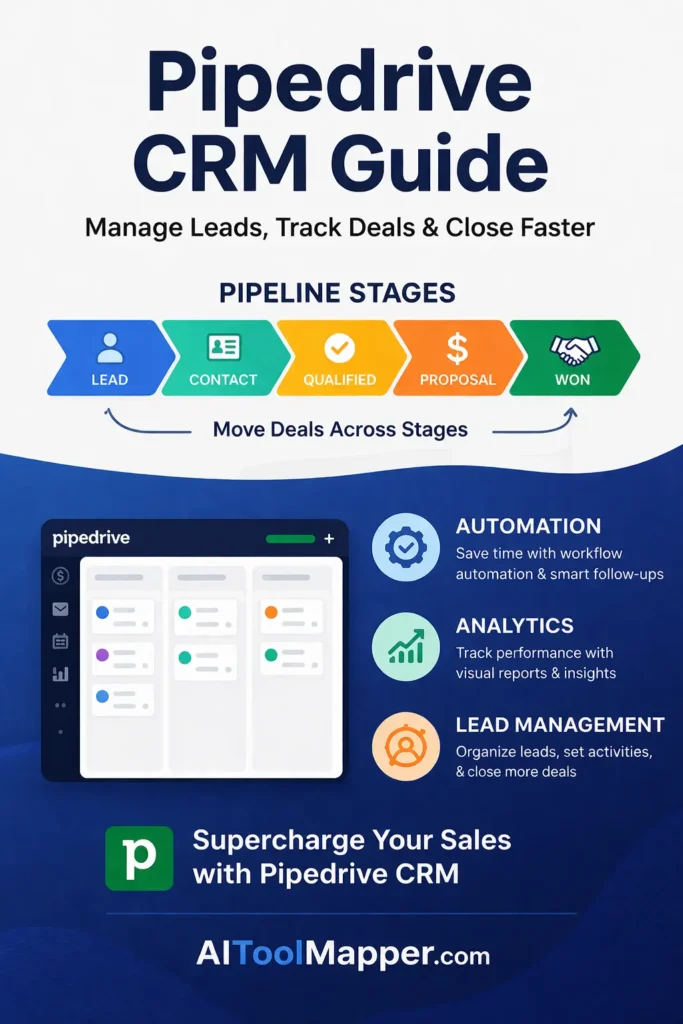
The first step in Pipedrive is building your pipeline structure.
Common stages include:
- Lead captured
- Contact established
- Needs assessment
- Proposal sent
- Negotiation
- Closed won/lost
Businesses can customize these stages to match their sales process.
Managing Leads and Deals
Each lead becomes a deal card within the pipeline.
Sales reps can add details like:
- Company information
- Deal value
- Probability of closing
- Scheduled activities
The CRM acts as a pipeline tracking software tool that keeps every opportunity organized.
Tracking Sales Activities
Activities drive deals forward.
Examples include:
- Calls
- Emails
- Meetings
- Product demos
Pipedrive ensures every deal has a next scheduled action, preventing opportunities from becoming stagnant.
Automating Follow-Ups and Tasks
Automation can trigger actions such as:
- Assigning tasks to sales reps
- Sending reminder notifications
- Updating deal probability
This reduces human error and improves consistency.
Monitoring Pipeline Performance
Managers can analyze pipeline health through metrics like:
- Stage conversion rates
- Deal duration
- Average sales cycle
These sales forecasting tools help predict future revenue and improve decision-making.
Pipedrive CRM Pricing Plans
Pipedrive offers several pricing tiers depending on business needs.
Essential Plan
Best for small teams starting with CRM tools.
Features include:
- Deal management
- Pipeline visualization
- Basic reporting
- Email integration
Advanced Plan
Adds automation capabilities.
Key features:
- Workflow automation
- Email tracking
- Advanced reporting
Professional Plan
Designed for growing teams.
Includes:
- Revenue forecasting
- Team management tools
- Custom reporting dashboards
Power and Enterprise Plans
Large organizations may prefer these plans for:
- Advanced permissions
- Security features
- Custom onboarding support
Free Trial and Pricing Comparison
Pipedrive offers a free trial, allowing businesses to test the platform before committing.
Pricing typically starts around $14–$15 per user per month depending on the plan.
Benefits of Using Pipedrive CRM
Improved Sales Productivity
By organizing deals visually, sales reps spend less time searching for information and more time closing deals.
Better Lead Management
Every lead interaction is recorded in the CRM, making follow-ups easier and more consistent.
Data-Driven Decision Making
With analytics dashboards, businesses can identify patterns such as:
- Which lead sources convert best
- Which sales stages cause delays
Easy Pipeline Visualization
The drag-and-drop pipeline makes it simple to understand:
- Deal progress
- Team workload
- Sales opportunities
Automation for Repetitive Tasks
Automation eliminates tasks like:
- Manual email reminders
- Activity scheduling
- Deal status updates
This allows teams to focus on relationship building.
Pipedrive Integrations and Add-Ons
Modern sales teams rely on multiple tools. Pipedrive integrates with hundreds of applications.
Email Integrations
Direct email synchronization ensures communication stays connected to deal records.
Marketing Tools Integration
Businesses can connect marketing platforms such as:
- Mailchimp
- Lead generation tools
- Campaign management software
Customer Support Integrations
CRM data can integrate with support systems to improve customer experience.
Third-Party Apps and Marketplace
Pipedrive also connects with productivity tools like:
- Slack
- Zapier
These integrations create a centralized workflow ecosystem.
How to Get Started with Pipedrive
Creating a Pipedrive Account
Start by signing up on the official website and activating the free trial.
The onboarding process typically takes less than 10 minutes.
Setting Up Your First Sales Pipeline
Next, define your pipeline stages according to your sales process.
Keep it simple at first—complex pipelines can always be refined later.
Importing Contacts and Leads
You can upload contacts through:
- CSV files
- Email integrations
- Lead capture forms
This instantly populates your CRM database.
Customizing Dashboards and Workflows
Customize dashboards to track metrics like:
- Deal value
- Sales activities
- Pipeline growth
Automation workflows can also be configured at this stage.
Using the Pipedrive Mobile App
The mobile app ensures your CRM stays updated even when sales reps work remotely.
Pipedrive CRM Use Cases
CRM for Small Businesses
Small businesses often lack structured sales processes.
Pipedrive helps them implement simple yet effective pipeline management.
CRM for Startups
Startups benefit from Pipedrive’s:
- Affordable pricing
- Quick implementation
- Automation features
CRM for B2B Sales Teams
B2B companies typically have longer sales cycles.
Pipedrive helps track:
- Multiple stakeholders
- Proposal stages
- Contract negotiations
CRM for Real Estate and Agencies
Real estate agents use Pipedrive to manage:
- Property leads
- Client communications
- Deal negotiations
Pros and Cons of Pipedrive
Advantages
- Simple user interface
- Excellent pipeline visualization
- Strong automation features
- Wide integration ecosystem
Limitations
- Limited marketing automation compared to full marketing platforms
- Advanced features require higher pricing tiers
Pipedrive vs Other CRM Platforms
Pipedrive vs HubSpot CRM
HubSpot CRM focuses heavily on marketing automation and inbound marketing.
Pipedrive, however, is more sales-pipeline oriented.
Pipedrive vs Salesforce
Salesforce is extremely powerful but often complex.
Pipedrive provides a simpler alternative for smaller teams.
Pipedrive vs Zoho CRM
Zoho CRM offers extensive features and integrations.
Pipedrive stands out for its user-friendly interface and pipeline visualization.
Is Pipedrive CRM Worth It?
Who Should Use Pipedrive
Pipedrive is ideal for:
- Small businesses
- Sales teams
- Startups
- B2B organizations
These teams benefit most from pipeline clarity and automation.
Who Should Consider Alternatives
Companies needing advanced marketing automation or enterprise-level customization might explore other platforms.
ROI and Productivity Benefits
Businesses adopting Pipedrive often report improvements in:
- Sales team productivity
- Deal conversion rates
- Pipeline visibility
The combination of automation and analytics can significantly increase revenue efficiency.
Frequently Asked Questions
1. What is Pipedrive CRM used for?
Pipedrive is used to manage leads, track deals, and streamline sales activities within a visual pipeline. It helps sales teams organize opportunities, automate follow-ups, and monitor performance metrics. By focusing on deal progression and activity tracking, businesses can improve conversion rates and close deals more efficiently.
2. Is Pipedrive good for small businesses?
Yes, Pipedrive is an excellent choice for small businesses due to its simplicity, affordability, and quick setup. It doesn’t require technical expertise, making it ideal for small teams. Its visual pipeline and automation features help businesses manage leads, track deals, and scale their sales process without overwhelming complexity.
3. Does Pipedrive offer a free trial?
Yes, Pipedrive offers a free trial that allows users to explore its core features before committing to a paid plan. During the trial, businesses can test pipeline management, automation workflows, and reporting tools, helping them evaluate whether the platform aligns with their sales needs and operational goals.
4. How secure is Pipedrive CRM?
Pipedrive includes robust security measures such as data encryption, user permission controls, and compliance with global data protection standards. These features ensure that sensitive customer and sales data remain protected. Regular system updates and secure cloud infrastructure further enhance its reliability and trustworthiness for businesses.
5. Can Pipedrive integrate with other tools?
Yes, Pipedrive integrates with hundreds of third-party tools, including Slack, Mailchimp, and Zapier. These integrations allow businesses to connect their CRM with communication, marketing, and automation platforms, creating a seamless workflow across different departments.
6. How does Pipedrive help improve sales performance?
Pipedrive improves sales performance by providing a clear visual pipeline, tracking activities, and offering data-driven insights. Sales teams can identify bottlenecks, prioritize high-value deals, and automate repetitive tasks. This structured approach helps increase productivity, shorten sales cycles, and boost overall conversion rates.
7. Is Pipedrive suitable for large enterprises?
Pipedrive can support larger teams, especially with its advanced plans offering enhanced security, permissions, and reporting. However, enterprises requiring complex customization or extensive marketing automation may consider more advanced CRM platforms. Still, it works well for enterprise sales teams focused on pipeline efficiency.
8. Does Pipedrive support mobile access?
Yes, Pipedrive offers a mobile CRM app for both Android and iOS devices. It allows sales teams to access deals, update activities, track communications, and receive real-time notifications. This ensures that sales professionals can stay productive and manage pipelines even while working remotely or traveling.
9. Can Pipedrive automate sales workflows?
Yes, Pipedrive includes powerful workflow automation features. Users can automate tasks such as sending follow-up emails, creating activities, updating deal stages, and notifying team members. This reduces manual work, ensures consistency, and helps sales teams focus more on building relationships and closing deals.
10. What industries benefit most from Pipedrive CRM?
Pipedrive is widely used across industries such as SaaS, real estate, consulting, marketing agencies, and B2B sales. Any business that relies on managing leads and tracking deals can benefit from its pipeline-focused approach and automation features.
11. How easy is it to set up Pipedrive CRM?
Pipedrive is known for its quick and user-friendly setup process. Businesses can create an account, build a pipeline, and import contacts within minutes. Its intuitive interface requires minimal training, allowing teams to start using the platform effectively without technical expertise.