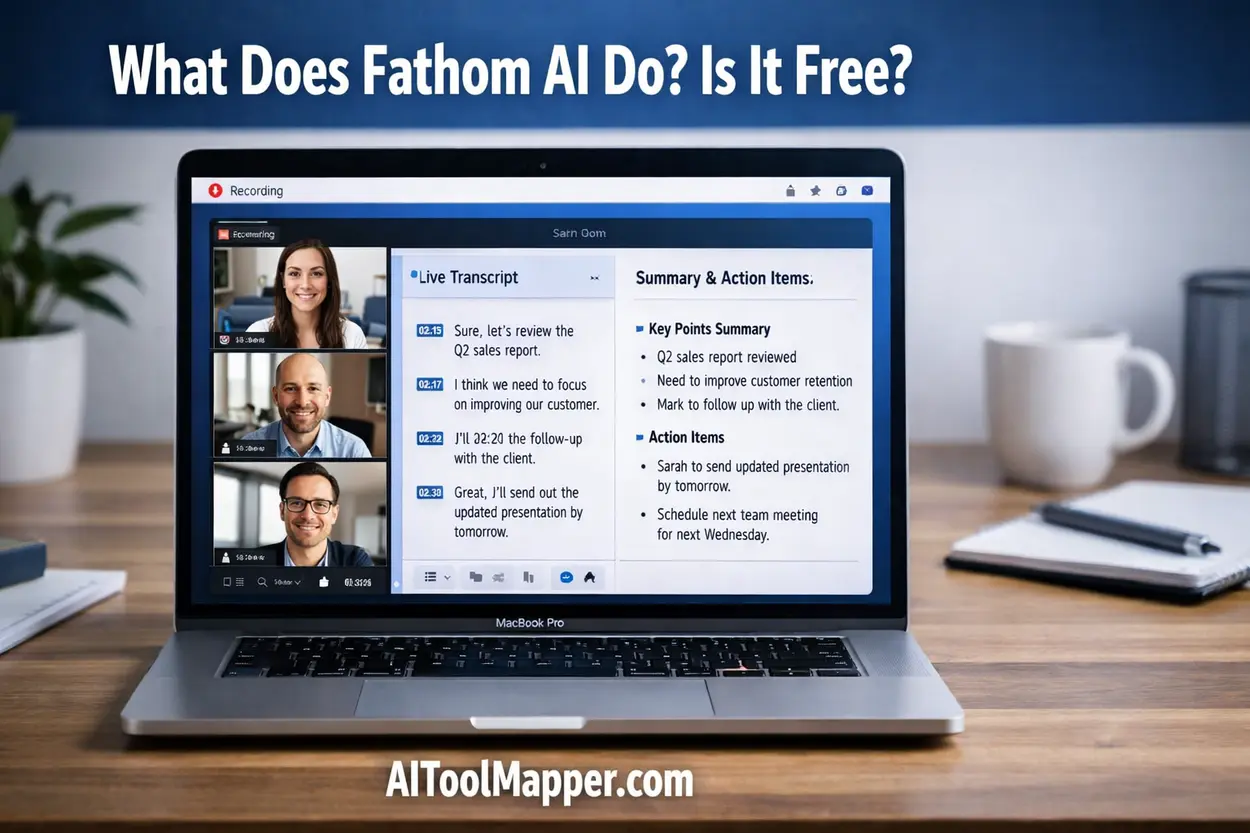
- Is Fathom AI trustworthy? Yes, Fathom AI is generally trustworthy for everyday meeting use, but caution is needed for sensitive or confidential discussions.
- It uses encryption and standard security protocols, but recordings are stored in the cloud.
- Best for productivity, summaries, and collaboration—not for highly private conversations.
- Always review permissions and privacy settings before using.
Key Takeaways
- Fathom AI is a powerful AI meeting assistant with strong productivity benefits
- It is generally safe, but not risk-free
- Privacy concerns mainly come from cloud storage and recording
- Best used for non-sensitive meetings
- Trust depends on how responsibly you use it
Can You Really Trust Fathom AI?
AI meeting assistants are everywhere in 2026. From startups to large enterprises, tools like fathom ai are changing how we take notes, record calls, and summarize meetings.
But here’s the real question…
👉 Would you let an AI record your private meetings?
👉 Is Fathom AI safe—or is it quietly storing your sensitive data somewhere?
These concerns are valid. With rising awareness about AI privacy, data leaks, and surveillance risks, users are becoming more cautious than ever.
In this in-depth fathom ai review, we’ll break down:
- How it works
- Whether fathom ai trustworthy claims are valid
- Its privacy policies and data safety
- Real user experiences in 2026
By the end, you’ll have a clear answer to:
👉 Is Fathom AI safe enough for you?
What is Fathom AI?
Fathom AI is an AI meeting assistant designed to record, transcribe, and summarize meetings automatically.
Think of it like your smart digital secretary—but faster and always paying attention.
🔑 Key Features
- Automatic meeting recording
- Real-time transcription
- AI-generated summaries
- Highlights and action items
- Integration with Zoom and other platforms
👉 In simple terms, fathom ai notetaker helps you focus on conversations instead of typing notes.
How Does Fathom AI Work?
Let’s break it down step-by-step.
1. Integration
Fathom AI connects to platforms like Zoom and joins meetings as a bot.
2. Recording
It records the entire conversation (audio + sometimes video).
3. Transcription
Speech is converted into text using AI models.
4. AI Summary
It extracts:
- Key points
- Decisions
- Action items
5. Cloud Storage
Your data is stored and processed in the cloud.
⚠️ Important Insight
This cloud-based processing is where most fathom ai privacy concerns come from.
Is Fathom AI Trustworthy?
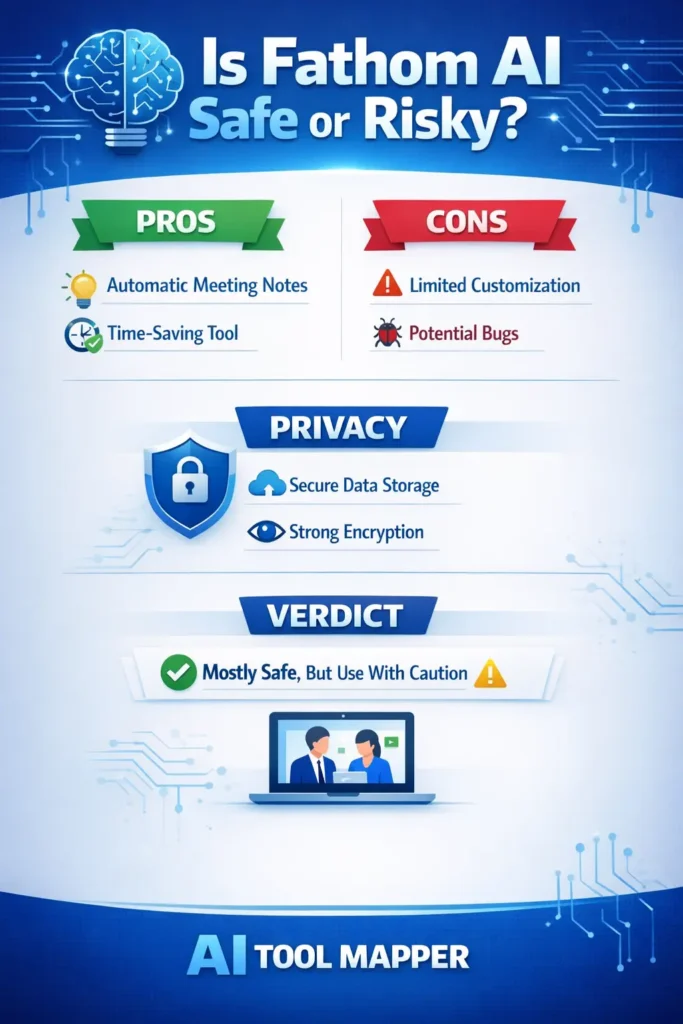
Check out this quick breakdown of privacy, pros & cons before you use it!
#FathomAI #AITools #TechReview #AIPrivacy #DigitalSafety
Yes, fathom ai trustworthy status is generally positive, but it depends on how you use it. It is safe for everyday meetings and productivity tasks, but you should avoid using it for highly confidential or sensitive conversations without proper safeguards.
Why It’s Considered Trustworthy
✔ Uses encryption for data transmission
✔ Backed by a legitimate company
✔ Widely used by professionals and teams
✔ Transparent about recording functionality
Where Caution Is Needed
❌ Stores recordings in the cloud
❌ Requires access permissions
❌ Not ideal for private/legal conversations
👉 So, is fathom ai legit?
Yes—but like any AI tool, it’s only as safe as how you use it.
🛡️ Fathom AI Privacy & Data Security
Let’s address the biggest concern: data safety.
🔒 Does Fathom AI Store Your Data?
Yes. Fathom AI stores:
- Meeting recordings
- Transcripts
- AI summaries
These are typically stored in secure cloud environments.
🔐 Security Measures
- End-to-end encryption (in transit)
- Secure servers
- Access controls
- User-level permissions
📜 Privacy Considerations
- Requires consent for recording
- Data may be used to improve AI models
- Users can delete recordings manually
⚠️ Real Concern: AI Privacy
Even with safeguards, there’s always a question:
👉 Who really owns your meeting data?
This is why fathom ai data safety depends heavily on user awareness.
👍 Pros of Fathom AI
Here’s why many users trust it:
- ✅ Free plan available (great for beginners)
- ✅ Extremely easy to use
- ✅ Accurate meeting summaries
- ✅ Saves hours of manual note-taking
- ✅ Boosts productivity significantly
👎 Cons of Fathom AI
No tool is perfect. Here are the drawbacks:
- ❌ Privacy concerns for sensitive discussions
- ❌ Requires recording permissions
- ❌ AI accuracy is not 100%
- ❌ Limited integrations compared to competitors
- ❌ Cloud storage may raise security concerns
Real User Reviews & Ratings (2026)

Read the full review before you trust it with your meetings!
#FathomAI #AIReview #TechTools #Productivity #AI2026 #AIToolMapper
📊 Overall Sentiment
Most users rate fathom ai review positively, especially for productivity.
👍 Positive Feedback
- “Saves hours every week”
- “Best AI meeting assistant I’ve used”
- “Accurate summaries and highlights”
👎 Negative Feedback
- “Concerned about privacy”
- “Sometimes misses context”
- “Not ideal for confidential calls”
🧠 Insight
👉 The tool is loved for efficiency—but questioned for fathom ai privacy concerns.
Is Fathom AI Safe for Business Use?
✅ Suitable For:
- Sales calls
- Team meetings
- Client discussions (non-sensitive)
- Content creators and marketers
❌ Not Ideal For:
- Legal meetings
- Financial discussions
- Confidential negotiations
- Healthcare consultations
👉 So, is fathom ai secure for meetings?
Yes—for general use. No—for high-risk scenarios.
Fathom AI vs Other AI Meeting Tools
| Feature | Fathom AI | Otter.ai | Fireflies.ai |
| Free Plan | Yes | Limited | Yes |
| Privacy | Moderate | Moderate | Moderate |
| Accuracy | High | High | Medium |
| Integrations | Limited | Wide | Wide |
| Trust Level | Good | Good | Good |
🧠 Key Takeaway
No AI meeting tool is 100% private. It’s about risk management.
FAQs
Is Fathom AI safe to use?
Yes, Fathom AI is safe for general meeting use. It uses encryption and secure storage systems to protect user data. However, for highly sensitive or confidential discussions, it’s better to review privacy settings and consider alternatives to minimize potential risks.
Does Fathom AI record everything?
Fathom AI records meetings only when activated or invited. It typically joins calls as a bot and records audio and transcripts. Users should always inform participants and ensure consent before recording to maintain ethical and legal compliance.
Can Fathom AI access private data?
Fathom AI can access meeting content, including conversations and shared details, during recordings. While data is protected, it is still stored in the cloud. Users should avoid sharing highly confidential information during recorded sessions.
Is Fathom AI free or paid?
Fathom AI offers a free plan with core features like recording and summaries. Premium plans unlock advanced capabilities such as deeper insights, integrations, and enhanced productivity tools, making it suitable for professionals and teams.
Is Fathom AI accurate?
Fathom AI provides high accuracy in transcription and summaries, but it is not perfect. Background noise, accents, or complex discussions can affect results. It works best as a support tool rather than a replacement for human review.
Should you trust Fathom AI?
Yes, you can trust Fathom AI for regular business and team meetings. However, for sensitive discussions, it’s wise to use caution, review permissions, and understand how your data is handled before relying on it fully.
How does Fathom AI protect user data?
Fathom AI protects user data through encryption during transmission and secure cloud storage systems. It also offers user-level access controls to manage recordings and transcripts. However, since data is processed in the cloud, users should still review privacy settings and avoid sharing highly sensitive information during meetings.
Is Fathom AI secure for business meetings?
Fathom AI is secure for most business meetings such as team discussions, sales calls, and project updates. However, for highly confidential conversations like legal or financial discussions, businesses should carefully evaluate data policies and consider additional security measures before using AI recording tools.
Does Fathom AI store meeting recordings permanently?
Fathom AI stores recordings and transcripts in the cloud until the user deletes them. Users typically have control over their data and can remove recordings anytime. It’s recommended to regularly review stored content and delete sensitive files to maintain better control over privacy and security.
Can you delete your data from Fathom AI?
Yes, users can delete their recordings, transcripts, and meeting summaries from Fathom AI. This gives users control over their data. However, it’s important to understand how long backups may persist and review the platform’s data retention policies for complete transparency.
Is Fathom AI compliant with privacy regulations?
Fathom AI follows standard data protection practices and may comply with regulations like GDPR depending on its policies and user region. However, compliance can vary, so users should always check the latest privacy documentation to ensure it meets their legal and organizational requirements.
What permissions does Fathom AI require?
Fathom AI requires access to your meeting platform, microphone, and sometimes calendar integrations to function properly. These permissions allow it to join meetings, record conversations, and generate summaries. Users should review and manage these permissions carefully to maintain control over their data.
Does Fathom AI work without recording meetings?
No, Fathom AI relies on recording meetings to generate transcripts and summaries. Without recording, it cannot process or analyze conversations. If privacy is a concern, users should only enable recording when necessary and ensure all participants are informed beforehand.
What are the biggest privacy concerns with Fathom AI?
The main privacy concerns include cloud storage of meeting data, potential access to sensitive conversations, and reliance on AI processing. While security measures are in place, users should be cautious when discussing confidential information and regularly manage stored recordings.
Is Fathom AI better than manual note-taking?
Fathom AI is significantly faster and more efficient than manual note-taking, especially for long meetings. It captures details you might miss and provides structured summaries. However, it may not fully understand context, so combining AI summaries with human review delivers the best results.
Can Fathom AI be trusted for remote team collaboration?
Yes, Fathom AI is highly useful for remote teams by improving communication, documentation, and follow-ups. It ensures everyone stays aligned with clear summaries. As long as teams follow privacy best practices, it can be a reliable tool for enhancing collaboration and productivity.
Final Verdict: Should You Trust Fathom AI?
So, let’s wrap it up.
👉 Is Fathom AI trustworthy?
✔ Yes—for productivity and everyday meetings
⚠️ Be cautious—for sensitive conversations
🎯 Who Should Use It?
- Professionals
- Teams
- Freelancers
- Content creators
🚫 Who Should Avoid It?
- Legal professionals handling confidential cases
- Businesses dealing with sensitive data
- Anyone concerned about cloud-based recording
💡 Final Advice
Use Fathom AI—but use it wisely.
👉 Understand permissions
👉 Control your data
👉 Stay privacy-aware