The Ideogram API limit refers to how many requests a developer can send to Ideogram’s image generation API within a specific timeframe. Unlike traditional APIs that rely strictly on requests per minute, Ideogram primarily uses a concurrency-based system, allowing around 10 simultaneous (in-flight) requests by default. These limits may vary depending on your plan, usage level, and infrastructure needs.
Key Takeaways
- The Ideogram API limit is primarily based on concurrent requests, not just request count.
- Default concurrency is approximately 10 in-flight requests.
- Limits may vary depending on subscription plan and usage behavior.
- Efficient API handling prevents rate limit exceeded errors (429).
- Developers can scale limits using paid plans or enterprise support.
What is the API Limit for Ideogram?
Let’s start simple.
The Ideogram API is a tool that allows developers to generate AI-powered images programmatically. Whether you’re building a design tool, a social media automation platform, or a creative SaaS product, this API acts as your engine.
Now, what exactly is an API limit?
Think of it like a highway. Even if the road is wide, only a certain number of cars can pass smoothly at once. If too many cars enter at the same time, traffic jams happen. API limits exist to prevent that “traffic jam.”
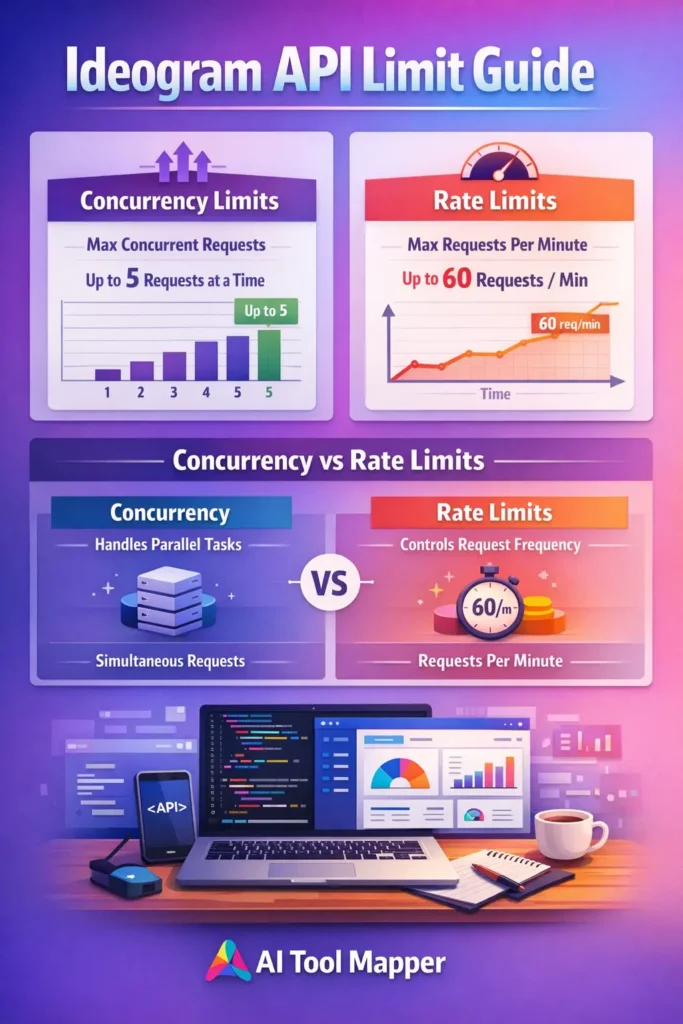
👉 Two Core Types of Limits
- Rate Limit → Requests per second/minute
- Concurrency Limit → Requests being processed at the same time
Here’s where Ideogram stands out:
👉 It focuses more on concurrency limits than strict request-per-minute rules.
Understanding Ideogram API Limits in Detail
What is a Rate Limit?
A rate limit defines how many API calls you can make within a certain time window.
For example:
- 60 requests per minute
- 5 requests per second
This is common in APIs like payment gateways or messaging systems.
👉 Learn more about rate limiting from this AWS architecture guide on rate limiting strategies.
What is a Concurrency Limit?
Now here’s the key concept.
A concurrency limit controls how many requests are being processed simultaneously.
Example:
- You send 20 requests at once
- Ideogram allows only 10
- The remaining 10 either:
- Wait (queue)
- Fail (429 error)
👉 This is called in-flight requests.
Why Ideogram Uses Concurrency-Based Limits
Image generation is resource-heavy. Each request consumes:
- GPU power
- Memory
- Processing time
So instead of limiting how many requests you send, Ideogram limits how many it can process at once.
Default Ideogram API Limits
While exact limits may vary, a typical setup includes:
- ✅ ~10 concurrent requests
- ✅ Flexible scaling based on usage
- ✅ Adaptive throttling during peak load
Types of Ideogram API Limits
Concurrent Request Limit
This is the main Ideogram API limit.
- Around 10 simultaneous requests
- Prevents system overload
- Ensures fair resource distribution
Request Throughput Limits
Even though concurrency is primary, there are still soft limits on:
- Requests per second
- Burst traffic
Daily or Monthly Quotas
Depending on your plan:
- Free tier → limited usage
- Paid tier → higher quotas
Image Generation Limits per Request
Each request may allow:
- 1 or multiple images
- Resolution constraints
- Prompt complexity limits
Why Ideogram API Has Usage Limits
Let’s be honest—why restrict users at all?
1. Prevent Server Overload
Without limits, one user could crash the system.
2. Ensure Fair Usage
Everyone gets equal access.
3. Maintain Performance
Stable response times matter.
4. Control Infrastructure Costs
AI image generation is expensive.
👉 For a deeper dive into cloud cost control, check this Google Cloud cost optimization guide.
Common Ideogram API Errors (And What They Mean)
❌ 429 Too Many Requests
Cause: You exceeded the Ideogram API rate or concurrency limit.
Example Error:
❌ Request Timeout Issues
Occurs when:
- API is overloaded
- Response takes too long
❌ Failed Image Generation
Possible reasons:
- Invalid prompt
- Resource constraints
- Backend processing errors
🛠️ How to Handle Ideogram API Rate Limits
Implement Retry Logic
Instead of failing instantly, retry after a delay.
Use Exponential Backoff
Wait progressively longer between retries.
Example:
- Retry 1 → wait 1 sec
- Retry 2 → wait 2 sec
- Retry 3 → wait 4 sec
👉 Learn more from Google API best practices.
Queue Your Requests
Don’t send everything at once. Use:
- Task queues
- Job schedulers
Optimize API Calls
- Combine prompts
- Avoid duplicate requests
- Reduce unnecessary calls
How to Increase Ideogram API Limits
Upgrade Pricing Plans
Higher tiers = higher limits.
Contact Support
Custom limits may be available.
Enterprise Scaling
Large apps can negotiate:
- Dedicated resources
- Higher concurrency
Use Distributed Systems
Spread load across:
- Multiple servers
- Regions
Ideogram API Limits vs Other AI APIs
Ideogram vs OpenAI Image API
| Feature | Ideogram | OpenAI |
|---|---|---|
| Limit Type | Concurrency | Rate-based |
| Flexibility | High | Moderate |
| Scaling | Plan-based | Token-based |
Ideogram vs Midjourney API
| Feature | Ideogram | Midjourney |
|---|---|---|
| API Access | Yes | Limited |
| Control | High | Low |
| Limits | Concurrency | Queue-based |
Key Differences
- Ideogram → Concurrent requests focus
- Others → Requests per minute focus
Ideogram API Pricing and Its Impact on Limits
Your limits depend heavily on pricing.
Free Tier
- Limited requests
- Lower concurrency
Paid Plans
- Higher concurrency
- More requests
- Faster processing
🔍 Best Practices to Optimize Ideogram API Usage
- ✅ Batch processing
- ✅ Cache generated images
- ✅ Avoid duplicate prompts
- ✅ Monitor API usage
🧠 Pro Tips for Developers
- Use async processing
- Track logs carefully
- Build fallback systems
- Combine prompts smartly
FAQs
What is the default Ideogram API limit?
The default Ideogram API limit typically allows around 10 concurrent requests. This means you can process about ten image generation tasks simultaneously. However, this may vary depending on your account type, usage patterns, and any upgrades you’ve applied.
How many requests can I send to Ideogram API?
There is no strict fixed number of requests per minute. Instead, Ideogram controls usage through concurrency. You can send multiple requests, but only a limited number will be processed at the same time, usually around ten for standard users.
What happens if I exceed Ideogram API limits?
If you exceed the allowed limits, the API will return a 429 Too Many Requests error. This indicates that your request volume or concurrency has surpassed the allowed threshold, and you need to wait or implement retry logic.
Can I increase Ideogram API limits?
Yes, you can increase limits by upgrading your subscription plan or contacting support for enterprise-level access. Higher plans often provide increased concurrency, faster processing, and improved scalability for production-level applications.
Does Ideogram API have daily limits?
Some plans may include daily or monthly usage caps, especially free tiers. Paid plans typically offer higher or flexible quotas. Always review your account dashboard or documentation to understand your exact usage limits.
How to fix “Too Many Requests” error?
To fix this error, implement retry logic with exponential backoff, reduce simultaneous requests, and queue tasks efficiently. This ensures your system respects API limits while maintaining performance.
Is Ideogram API free to use?
Ideogram may offer a limited free tier, but most advanced features and higher limits require a paid plan. Pricing typically depends on usage, number of requests, and concurrency levels.
What is concurrency limit in Ideogram API?
Concurrency limit refers to the number of API requests that can be processed at the same time. For Ideogram, this is typically around 10 simultaneous requests, making it different from traditional rate-based APIs.
How does Ideogram API pricing affect limits?
Higher pricing tiers generally unlock higher concurrency limits, faster processing speeds, and increased usage quotas. This makes scaling easier for businesses and developers handling large workloads.
Which is better: Ideogram or other image APIs?
It depends on your needs. Ideogram is excellent for concurrency-based workflows and scalable applications, while other APIs may offer simpler rate-based systems. Developers often choose based on flexibility, pricing, and performance.
Conclusion
Understanding the Ideogram API limit is essential if you want to build scalable, efficient applications.
Instead of focusing only on how many requests you can send, think about how many can run at once. That’s the real game-changer.
By optimizing your usage—through batching, retries, and smart architecture—you can avoid errors, reduce costs, and improve performance.
Whether you’re a solo developer or building a large-scale SaaS platform, mastering these limits will give you a serious edge.