Yes, Ideogram AI is free to use—but only to a limited extent. It operates on a freemium model, meaning you get free daily credits to generate images. However, advanced features, higher generation limits, and faster processing speeds are only available through paid subscriptions.
🧾 Key Takeaways
- Ideogram AI free to use, but with strict limits
- Free credits control daily usage
- Paid plans unlock speed and advanced tools
- Great for beginners, limited for professionals
- Ideal for testing AI image generation
Ideogram AI Free to Use: What You Need to Know Before You Start
AI image generators are everywhere right now. From creating social media posts to designing logos in seconds, these tools are reshaping how we create visual content. Among them, Ideogram AI has quickly gained attention—especially for its ability to generate text inside images accurately, which many tools struggle with.
But here’s the real question most users are asking:
👉 Is Ideogram AI free to use, or is it just another freemium trap?
If you’ve ever signed up for a “free” AI tool only to hit a paywall within minutes, you know the frustration. That’s exactly why this guide exists—to give you a clear, honest breakdown of Ideogram AI’s pricing, free credits, and whether it’s actually worth your time.
In this in-depth pillar guide by AI Tool Mapper, we’ll go beyond surface-level answers and uncover everything you need to know—from free plan benefits to hidden limitations.
What is Ideogram AI and How Does It Work?
Ideogram AI is a text-to-image generation tool powered by advanced artificial intelligence. In simple terms, you type a prompt, and the tool generates a corresponding image.
But what makes it stand out?
✨ Key Features:
- Accurate text rendering inside images
- High-quality visual outputs
- Prompt-based customization
- Community-generated inspiration feed
Unlike many competitors, Ideogram excels at placing readable text inside designs, making it ideal for:
- Posters
- Social media graphics
- Branding materials
Think of it like having a designer + illustrator + typography expert—all rolled into one tool.
💰 Is Ideogram AI Really Free to Use?

✔️ Short Answer: Yes… but with limits.
Ideogram AI free to use? Absolutely.
Unlimited? Not even close.
It follows a freemium model, which means:
- You can sign up and start generating images for free
- You receive daily credits
- Once credits run out, you either wait or upgrade
👉 So while the entry point is free, consistent usage comes with restrictions.
🎟️ What Do You Get in Ideogram AI Free Plan?
Let’s break it down clearly.
🆓 Free Plan Includes:
- Daily image generation credits
- Access to core text-to-image features
- Standard rendering speed
- Community browsing
🔍 Free Plan Key Features
1. Image Generation
You can create images from prompts without paying.
2. Standard Speed
Free users experience slower processing compared to premium users.
3. Limited Queue Priority
Paid users’ requests are processed faster, especially during peak times.
⚠️ What Are the Limitations of Ideogram AI Free Plan?
Here’s where things get real.
🚫 Main Limitations:
1. Limited Daily Credits
You can only generate a certain number of images per day.
2. Slower Performance
During high demand, free users may face delays.
3. Restricted Advanced Features
Some premium tools and customization options are locked.
4. Possible Usage Restrictions
Depending on updates, there may be rules around commercial use.
💳 Ideogram AI Pricing: Free vs Paid Plans
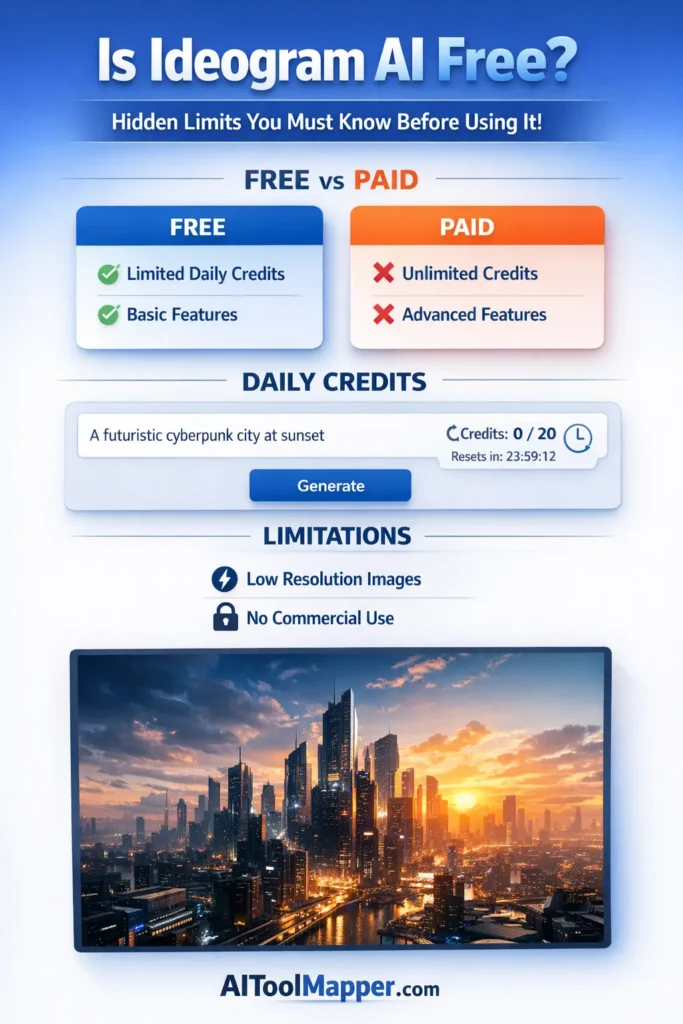
While the free plan is a great starting point, Ideogram also offers paid subscriptions designed for serious creators.
💼 Paid Plan Benefits:
- More credits (higher image output)
- Faster generation speed
- Priority processing
- Advanced customization tools
If you’re running a blog, agency, or content business, upgrading often becomes necessary.
⚖️ Ideogram AI Free vs Paid – Key Differences
| Feature | Free Plan | Paid Plan |
|---|---|---|
| Credits | Limited | High/Unlimited |
| Speed | Standard | Fast |
| Features | Basic | Advanced |
| Queue Priority | Low | High |
🧠 Is Ideogram AI Worth Using for Free?
Let’s be honest.
👉 If you’re a beginner—YES.
👉 If you’re a professional—MAYBE.
👍 Ideal for:
- Testing AI tools
- Casual content creation
- Learning prompt engineering
👎 Not ideal for:
- Bulk image generation
- High-speed workflows
- Professional branding projects
🎯 Who Can Benefit from Ideogram AI Free Version?
The free plan is surprisingly useful for:
👨💻 Bloggers
Create featured images without hiring designers.
🎨 Designers
Test ideas before committing to paid tools.
🎓 Students
Use it for presentations and projects.
📱 Social Media Creators
Generate quick visuals for posts and reels.
🔍 Best Free Alternatives to Ideogram AI
If you want to explore more options, here are some alternatives:
🧠 Popular Alternatives:
- DALL·E (limited free usage)
- Stable Diffusion (open-source flexibility)
- Canva AI Image Generator (beginner-friendly)
Each tool has its strengths, but Ideogram stands out in text rendering accuracy.
Frequently Asked Questions
1. Is Ideogram AI completely free?
Ideogram AI is not completely free. It offers a free plan with daily credits, allowing limited image generation. However, for higher usage, faster processing, and advanced features, users must upgrade to a paid subscription.
2. How many free credits does Ideogram AI give?
The number of free credits varies depending on updates, but typically users receive daily credits that reset every 24 hours. These credits allow a limited number of image generations per day.
3. Does Ideogram AI have a watermark?
Currently, Ideogram AI does not heavily watermark images in the free plan, but this can change over time. Always check the latest terms to confirm usage rights and branding limitations.
4. Can I use Ideogram AI images commercially?
Commercial use may be allowed depending on the platform’s terms. However, free users should carefully review licensing rules, as some restrictions may apply compared to paid plans.
5. Is Ideogram AI better than Midjourney?
Ideogram AI excels in text rendering, while Midjourney is known for artistic quality. The better choice depends on your use case—design accuracy vs artistic creativity.
6. Do free credits reset daily?
Yes, free credits typically reset every 24 hours. This allows users to generate images daily without paying, but only within the limit provided.
7. Is signup required for Ideogram AI?
Yes, users must create an account to access the platform. This helps track usage, credits, and generated content.
8. Can I use Ideogram AI without paying?
Yes, you can use Ideogram AI without paying by relying on the free plan. However, usage will be limited by daily credits and feature restrictions.
9. Is Ideogram AI worth it for beginners?
Yes, it’s a great starting point for beginners. The free plan allows users to explore AI image generation without financial commitment.
10. What happens when free credits run out?
Once credits are used up, you must wait for the next reset or upgrade to a paid plan to continue generating images.
🏁 Conclusion
So, is Ideogram AI really free to use?
👉 Yes—but only at a basic level.
It’s perfect for getting started, experimenting, and creating a few images daily. But if you’re serious about content creation or running a business, you’ll quickly hit the limitations.
The smartest move?
Start with the free plan. Test its capabilities. Then decide if upgrading makes sense for your workflow.
Because in the world of AI tools, “free” almost always comes with a catch—but sometimes, it’s still worth it.