
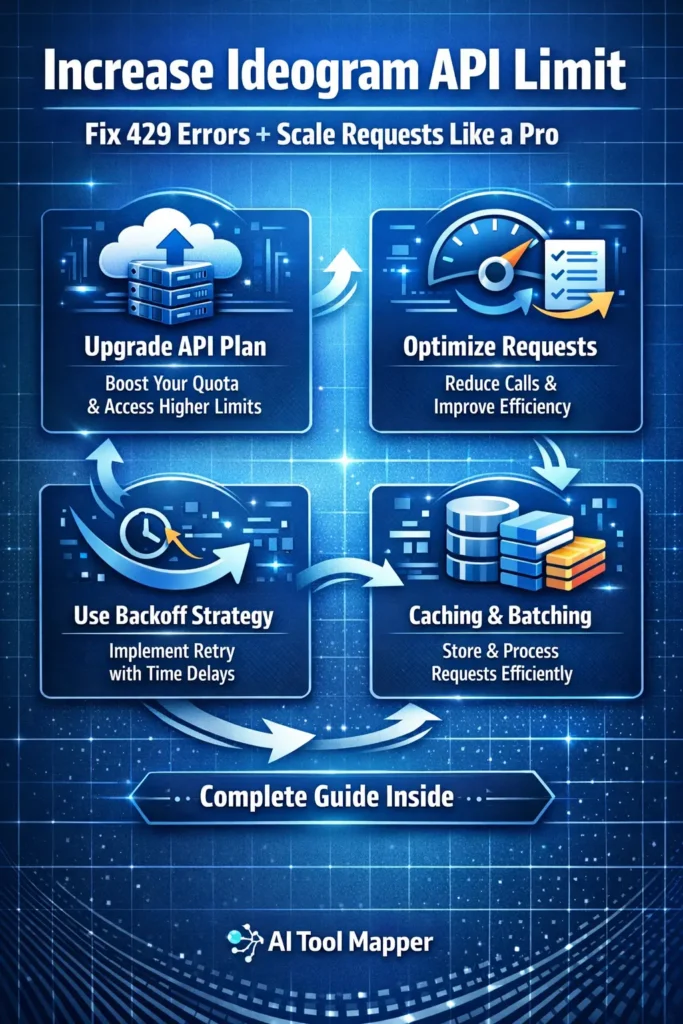
- The Ideogram API has request limits that can trigger 429 errors during high usage.
- You can increase limits by upgrading plans, optimizing request handling, and contacting support.
- Techniques like batching, caching, and exponential backoff help avoid rate limiting.
- This guide explains step-by-step solutions to scale Ideogram API efficiently.
How to Increase Ideogram AI API Limit
If you’ve ever worked with AI image generation tools, you already know how powerful APIs can be. They let you automate tasks, scale products, and build intelligent systems faster than ever. But there’s one frustrating roadblock that almost every developer hits at some point…
API limits.
If you’re trying to increase Ideogram API limit, chances are you’ve already encountered errors like “429 Too Many Requests” or “API limit exceeded.” And suddenly, your smooth workflow starts breaking down.
So what’s really going on here?
The Ideogram API is designed with rate limits and usage caps to ensure fair usage and system stability. But for developers, SaaS builders, and AI entrepreneurs, these limits can feel like a bottleneck.
Here’s the good news:
You’re not stuck with those limits forever.
In this complete guide, you’ll learn:
- What Ideogram API limits actually mean
- Why you’re hitting them
- How to increase Ideogram API limit effectively
- Proven strategies to scale requests without errors
- Advanced optimization techniques used by real-world developers
Whether you’re building an AI tool, automating image generation, or scaling a startup—this guide will help you unlock the full potential of the Ideogram API.
What Is Ideogram API Limit?
Default API Limits Explained
Before you try to increase anything, you need to understand what you’re dealing with.
The Ideogram API limit typically includes:
🔹 1. Rate Limits
This defines how many API requests you can send within a specific timeframe.
- Requests per minute (RPM)
- Requests per hour (RPH)
🔹 2. Concurrent Requests Limit
This controls how many API calls can run simultaneously.
Example:
If your limit is 5 concurrent requests, sending 10 at once will cause failures.
🔹 3. Usage Quotas
These are total limits based on your plan:
- Daily request limits
- Monthly credits
- Token-based usage (if applicable)
🔹 4. Free vs Paid Limits
| Plan Type | Limits |
|---|---|
| Free Plan | Low request rate, strict limits |
| Paid Plan | Higher throughput, better concurrency |
| Enterprise | Custom limits, priority access |
Why Ideogram Uses Rate Limiting
You might wonder—why not just allow unlimited usage?
Here’s why:
✔ Server Protection
Prevents overload and crashes during high traffic.
✔ Fair Usage
Ensures every user gets equal access.
✔ Performance Stability
Keeps API responses fast and reliable.
Think of it like a highway. Without traffic rules, everything would collapse into chaos.
Common Errors Related to API Limits
Ideogram API 429 Error (Too Many Requests)
This is the most common issue developers face.
What it means:
You’ve exceeded the allowed request rate.
When it occurs:
- Sending too many requests in seconds
- Running bulk operations without control
- No retry logic implemented
API Limit Exceeded Error
This error is slightly different.
Rate Limit vs Quota:
| Type | Meaning |
|---|---|
| Rate Limit | Requests per time window |
| Quota Limit | Total usage allowed |
You can hit quota limits even if your rate is slow.
Slow API Response Issues
Sometimes the API doesn’t fail—it just slows down.
This happens due to:
- Internal throttling
- Server load balancing
- Priority handling for premium users
5 Proven Ways to Increase Ideogram API Limit

Now let’s get to the real solution.
1. Upgrade Your Ideogram API Plan
This is the simplest and most direct method.
Benefits:
- Higher request limits
- Faster response time
- Increased concurrency
- Priority processing
If you’re running a production app, staying on the free plan isn’t sustainable.
2. Contact Ideogram Support for Limit Increase
Most developers overlook this.
If you have:
- A growing SaaS product
- High traffic requirements
- Business use cases
You can request custom scaling or enterprise access.
What to include in your request:
- Expected traffic volume
- Use case explanation
- Technical architecture
3. Optimize API Requests (Most Important)
Here’s where real scalability happens.
Instead of increasing limits blindly, reduce waste.
Techniques:
- Avoid duplicate requests
- Combine multiple calls into one
- Use efficient prompts
Think of it like fuel efficiency—less waste means more distance.
4. Implement Exponential Backoff Strategy
If your system retries instantly after failure, you’re making things worse.
Use this approach:
- Retry after 1 second
- Then 2 seconds
- Then 4 seconds
This prevents spamming the API and reduces errors.
5. Use Request Caching & Batching
Why request the same data again and again?
Caching:
Store results and reuse them.
Batching:
Send multiple operations in a single request.
This dramatically reduces your Ideogram API request limit usage.
Best Practices to Avoid API Rate Limits
Use Queue System
A queue ensures requests are processed in order.
Instead of sending 100 requests instantly, you spread them over time.
Limit Concurrent Requests
Set a cap on how many requests run simultaneously.
This prevents system overload and reduces failures.
Monitor API Usage
You can’t fix what you don’t track.
Monitor:
- Requests per minute
- Error rates
- Response times
Use Error Handling Mechanisms
Always handle failures gracefully.
Example:
- Retry logic
- Fallback responses
- Logging errors
Ideogram API Optimization Techniques (Advanced)
API Throttling Strategy
Instead of letting users flood your system, control the flow.
Benefits:
- Stable performance
- Lower error rates
- Predictable scaling
Load Balancing Requests
Distribute traffic across servers.
This is especially useful for high-scale applications.
Async Processing
Instead of waiting for responses:
- Send requests asynchronously
- Process results later
This improves speed and efficiency.
Ideogram API Pricing & Limit Scaling
Free vs Paid Plan Comparison
Free plans are great for testing, but not for scaling.
Paid plans unlock:
- Higher API throughput
- Faster processing
- Better reliability
When Should You Upgrade?
Ask yourself:
- Are you hitting limits daily?
- Are users facing delays?
- Is your app growing?
If yes—it’s time to upgrade.
Cost vs Performance Tradeoff
Higher plans cost more, but they:
- Reduce downtime
- Improve user experience
- Enable growth
Real Use Cases (SGE Boost Section)
🔹 AI Image Generation Apps
Apps that generate images in bulk often hit limits quickly.
Solution:
- Use batching
- Upgrade plans
🔹 SaaS Tools Using Ideogram API
If you’re building tools like those listed on AI Tool Mapper, you need scalability.
Example:
- Bulk image generators
- Marketing tools
- Design automation platforms
🔹 Bulk Image Generation Workflows
Imagine generating 10,000 images.
Without optimization:
- You hit limits instantly
With optimization:
- Smooth, scalable execution
FAQs
1. How do I increase Ideogram API limit?
You can increase Ideogram API limit by upgrading your plan, optimizing request handling, and contacting support for custom scaling. Combining technical improvements with higher-tier plans ensures better performance and fewer errors during high-volume usage.
2. What is Ideogram API rate limit?
The Ideogram API rate limit defines how many requests you can send within a specific timeframe, such as per minute or hour. It helps maintain system stability and ensures fair usage among all users accessing the API.
3. Why am I getting 429 error in Ideogram API?
A 429 error occurs when you send too many requests in a short time. It indicates that you have exceeded the allowed rate limit. Implementing retry logic and reducing request frequency can help resolve this issue effectively.
4. Can I remove API limits completely?
No, API limits cannot be completely removed. However, you can significantly increase them by upgrading to higher-tier or enterprise plans. These plans offer better throughput, higher concurrency, and custom scaling options.
5. How to fix Ideogram API limit exceeded error?
To fix this error, reduce unnecessary API calls, implement caching, use batching techniques, and apply exponential backoff strategies. Upgrading your plan also helps in handling higher request volumes efficiently.
6. Does Ideogram API have daily limits?
Yes, Ideogram API may have daily or monthly usage limits depending on your plan. Free plans typically have stricter limits, while paid plans offer more flexibility and higher usage capacity.
7. What is concurrent request limit in Ideogram?
Concurrent request limit refers to the number of API calls you can process simultaneously. Exceeding this limit can lead to failed or delayed requests, so it’s important to manage concurrency effectively.
8. How to reduce API rate limiting?
You can reduce rate limiting by using caching, batching, request throttling, and queue systems. These techniques optimize API usage and prevent unnecessary requests from exceeding limits.
9. Is Ideogram API scalable?
Yes, the Ideogram API is scalable with proper optimization and upgraded plans. By implementing efficient request strategies and choosing the right pricing tier, you can handle high traffic smoothly.
10. What is best practice for API optimization?
The best practices include using exponential backoff, limiting concurrent requests, caching responses, batching requests, and monitoring API usage. These strategies ensure efficient performance and minimal errors.
Conclusion
Increasing your API limit isn’t just about upgrading your plan—it’s about working smarter.
If you rely only on higher limits, you’ll eventually hit another ceiling. But when you combine:
- Efficient request handling
- Smart retry logic
- Proper scaling strategies
…you create a system that grows with your needs.
Start small. Optimize first. Then scale.
That’s how developers build systems that don’t just survive—but thrive.